Acted against this party before?
Search every record in one go.
Search a prospective client and every party against the firm’s contacts, matters, court cases, contracts, compliance clients and intakes at once. Each check is kept as a dated record of what was found and who cleared it.
- New corporate client
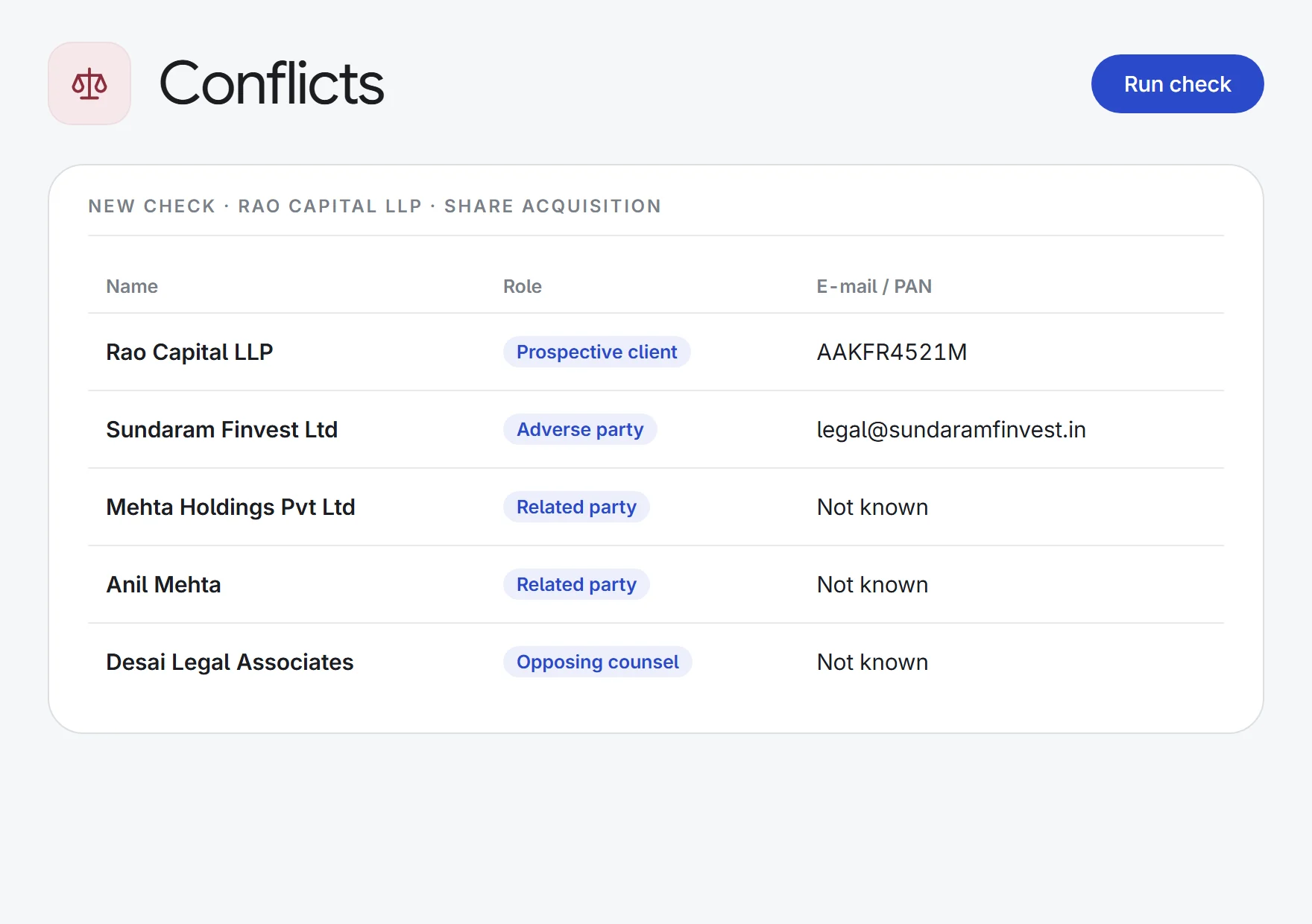
5 parties→one cleared check
ContactsCourt casesContracts
- Litigation briefs
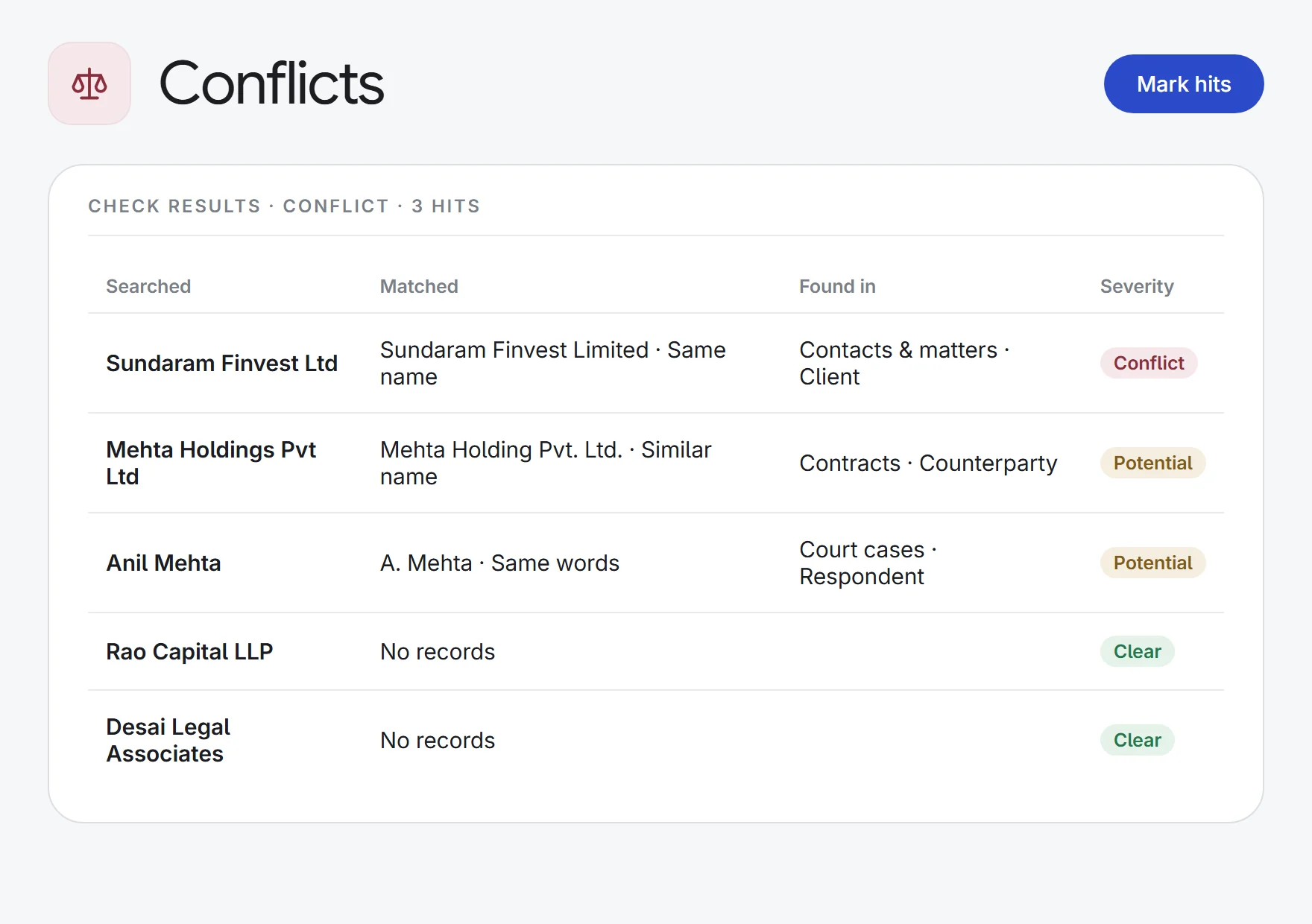
1 respondent list→3 hits to review
Opposing partySimilar nameMatter
- Name variants
“A. K. Sharma”→Anil Kumar Sharma
InitialsCompany suffixesHonorifics
- Client file records
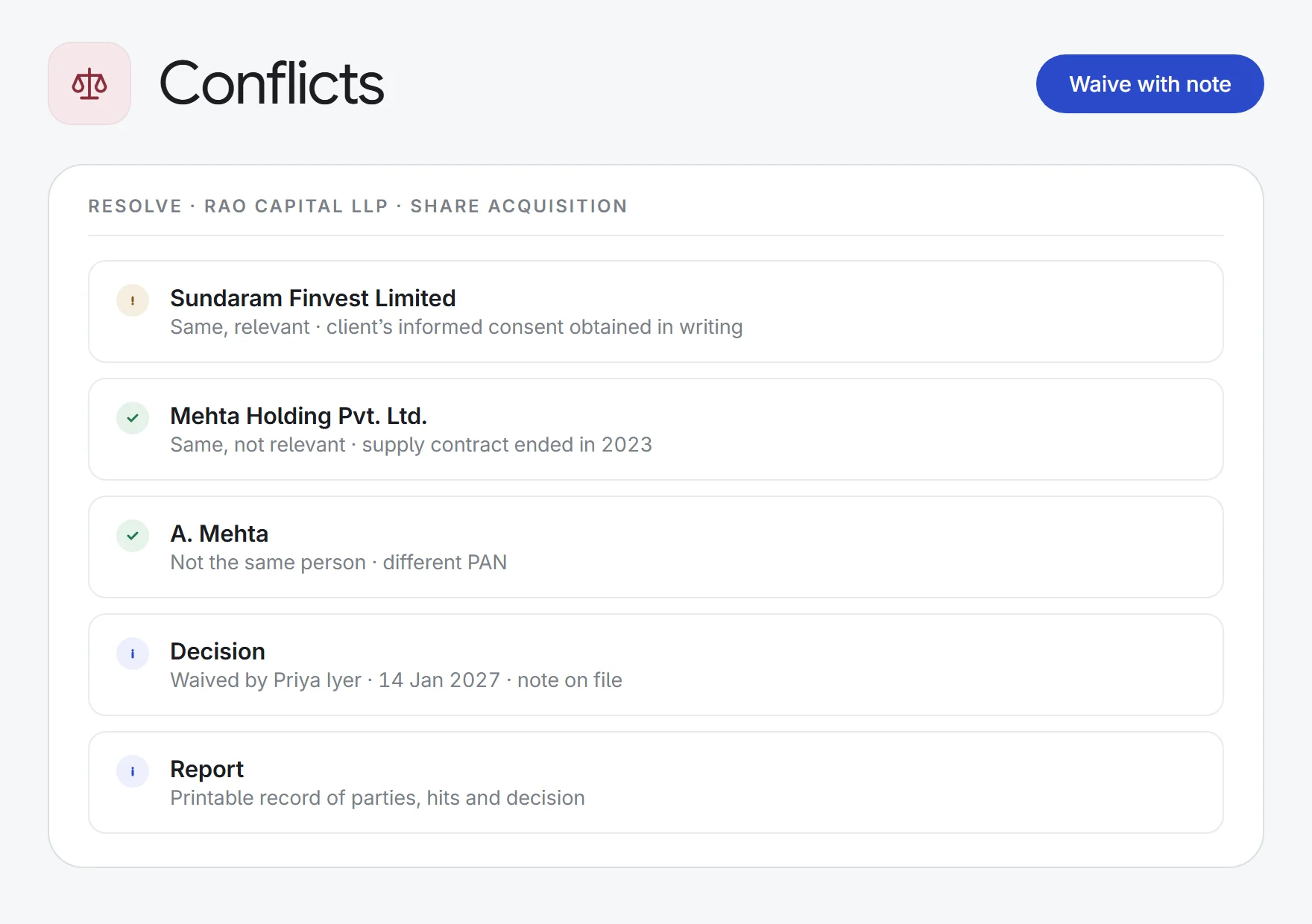
1 cleared check→a printable report
SearchedHitsDecisionNote
What Conflicts does.
Every record, one search
Contacts and matter parties, court-case parties, contract parties, compliance clients, and pending or declined intakes, searched together.
Catches near-matches
“M/s Acme Private Limited” matches “ACME Pvt. Ltd.”, and “A. K. Sharma” matches “Anil Kumar Sharma”. Honorifics and company suffixes are stripped before names are compared.
Exact matches too
A matching e-mail or phone number is an exact hit, whatever the name. PAN and CIN are matched against earlier intakes.
Graded by role
An adverse party who is your client, or a new client who has been on the other side from one, is flagged as a conflict. A repeat client is shown but not counted against you.
Mark each hit
For every match, record not the same person, same and relevant, or same and not relevant, with a note.
Clear, waive or decline
Only a manager of the matter, the intake owner or an admin can decide, and a note is required. Declining an intake’s check closes the intake.
Frozen for the file
Hits are saved as they stood when the check ran, and the original verdict is kept after it is cleared. Every change is tracked. Print a report for the client file.
Runs where work starts
Checks run on their own when an intake is submitted and when parties are added to a matter. If a source can’t be searched, the check is marked incomplete, never clear.
Need-to-know
Everyone sees that a relationship exists, but matter names and links stay hidden from people who can’t open those matters.
How it works.
- 1Enter the partiesAdd the prospective client and every adverse party, related party and opposing counsel, with e-mail, phone or PAN if known.
- 2Review the hitsSee each match with where it was found, how it matched and how serious it is, and mark each one.
- 3Clear, waive or declineRecord the decision with a note. The check stays on file, with a printable report.
Enquiry to invoice: intake, conflicts, clients, tasks, time and billing.
See all 33 appsRun your next conflict check across every record.
Start a 7-day free trial, or see Conflicts on one of your own matters with our team. Every plan includes every app.