Know-how scattered across drives?
One library every app draws on.
Keep the firm’s reference files, templates, clauses, playbooks and prompts in one place. Ask, Draft, MIRA, Contracts and the Word add-in draw on them, and AI answers cite your own files.
- Precedent banks
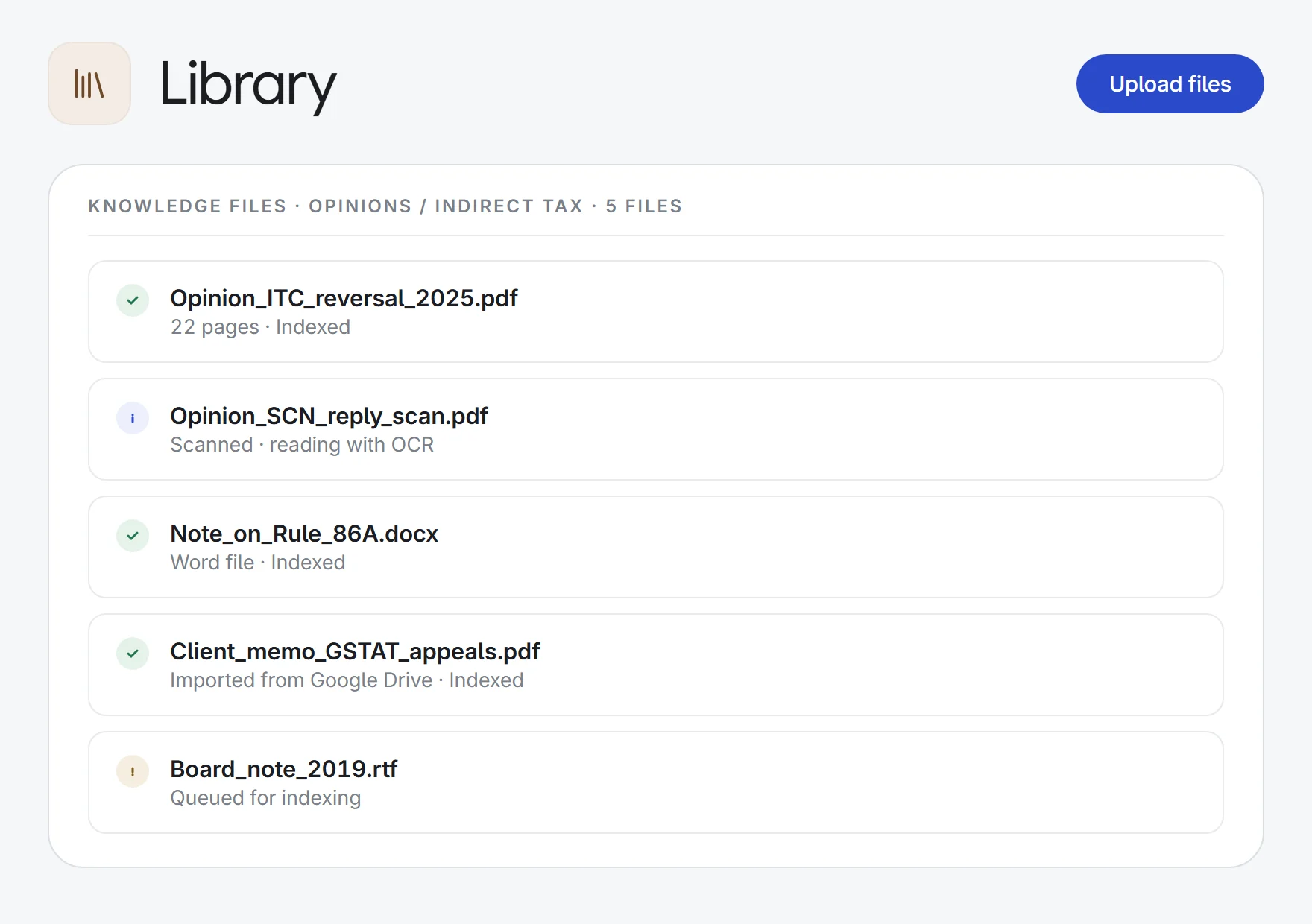
scanned past opinions→citable sources
FolderOCRIndexed
- Negotiation standards
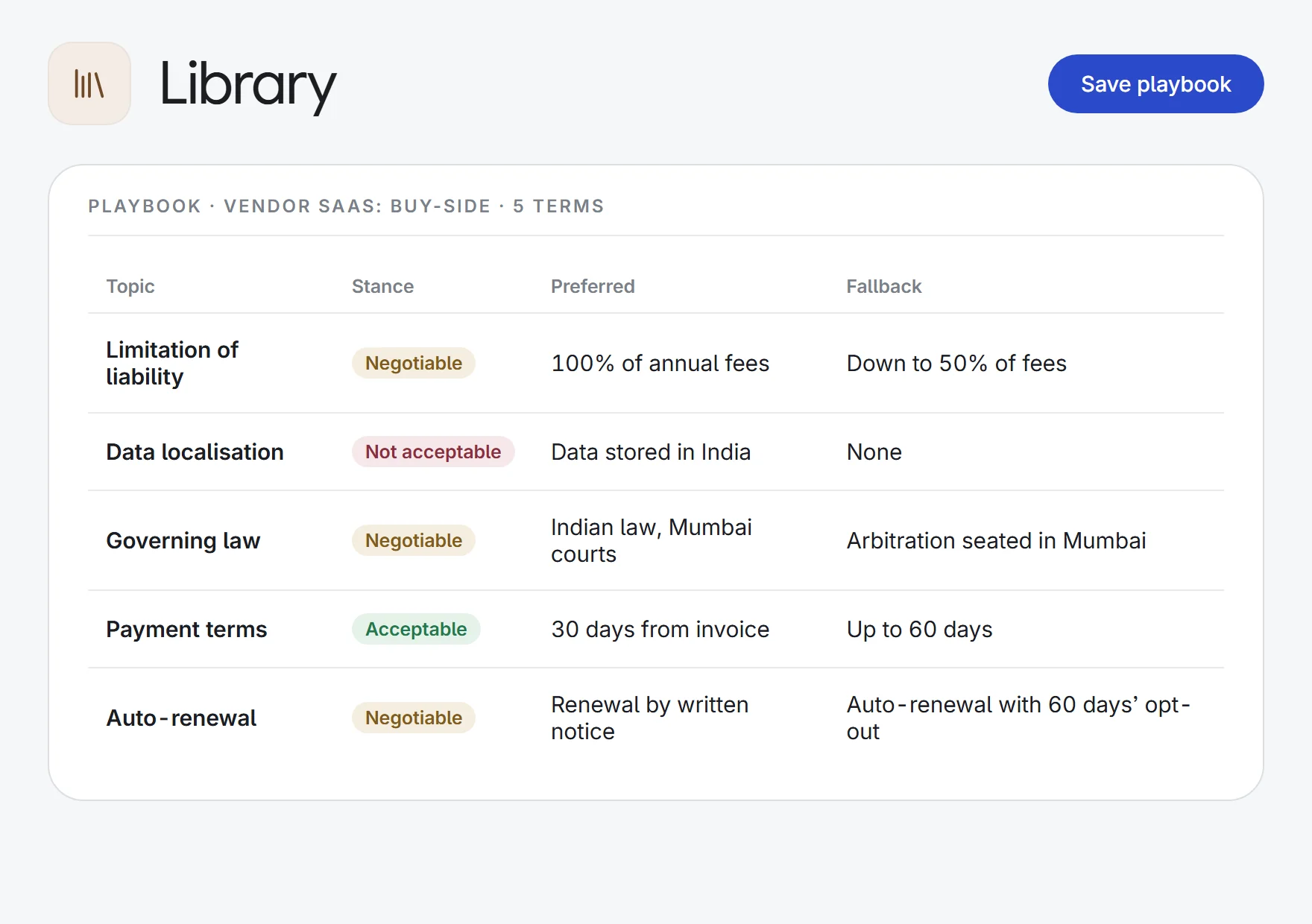
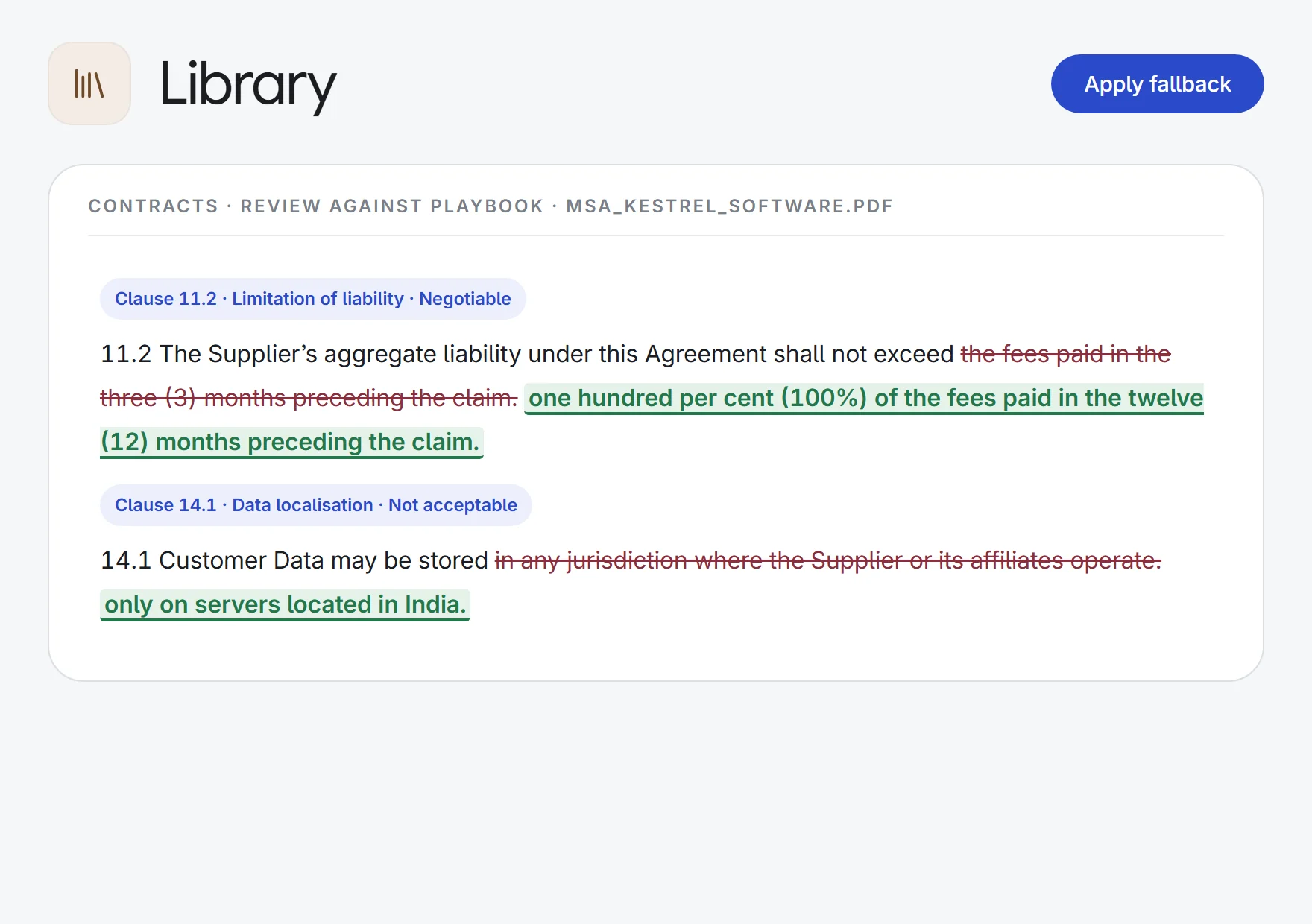
a vendor SaaS playbook→clause-by-clause review
PreferredFallbackNot acceptable
- Drafting kits
a rent agreement→a reusable clause set
Clause setTemplateDraft
- Cloud folders
a Google Drive folder→an indexed library
Google DriveOneDriveRe-sync
What Library does.
Used across the apps
Ask, Draft and MIRA search your files and cite them. Draft and MIRA reuse your templates and clauses, and Contracts and the Word add-in review against your playbooks.
Playbooks for negotiation
For each topic, set the stance (acceptable, negotiable or not acceptable), your preferred position, the fallback and notes for the negotiator.
Answers that cite your files
Files are indexed in your organisation’s own knowledge base. When an answer uses one, its source opens the original file you uploaded.
Scans made searchable
Scanned PDFs are OCR’d before indexing, so you can search inside them and AI answers can cite them.
Templates and clause sets
Keep templates as Word, PDF, text or Markdown files, and group reusable clauses into named sets, with one clause usable across many sets.
Prompts and question sets
Save tested prompts for Ask, Interact, Draft and MIRA, and named bundles of questions your team asks again and again.
Import from Google Drive or OneDrive
Connect a drive, choose the files and folders to bring in, and keep them in sync. Switched on for your firm on request.
Access you control
Share an item with the whole firm or one team, and grant read, write or admin rights to people or teams. Org admins manage everything.
A starter library included
Lexlegis provides ready-made content for your country, and admins can switch off any item they do not want.
How it works.
- 1Bring in your filesUpload PDFs and Word files into folders, or import them from Google Drive or OneDrive where enabled.
- 2Set your standardsWrite playbooks, clause sets and prompts, and choose who can see and edit each one.
- 3Use them anywhereAsk, Draft, MIRA, Contracts and Word draw on the same library.
Bring your firm’s know-how into one place.
Start a 7-day free trial, or see Library on one of your own matters with our team. Every plan includes every app.