Forgetting to log your hours?
Start a timer, stop to log.
Log time and expenses against your matters, or run a timer while you work and stop it to save the entry. Billable time is priced at the client’s rate on the day the work was done.
- Hearing days
6 hours in court→one billable entry
MatterActivity: CourtHours
- Drafting sessions
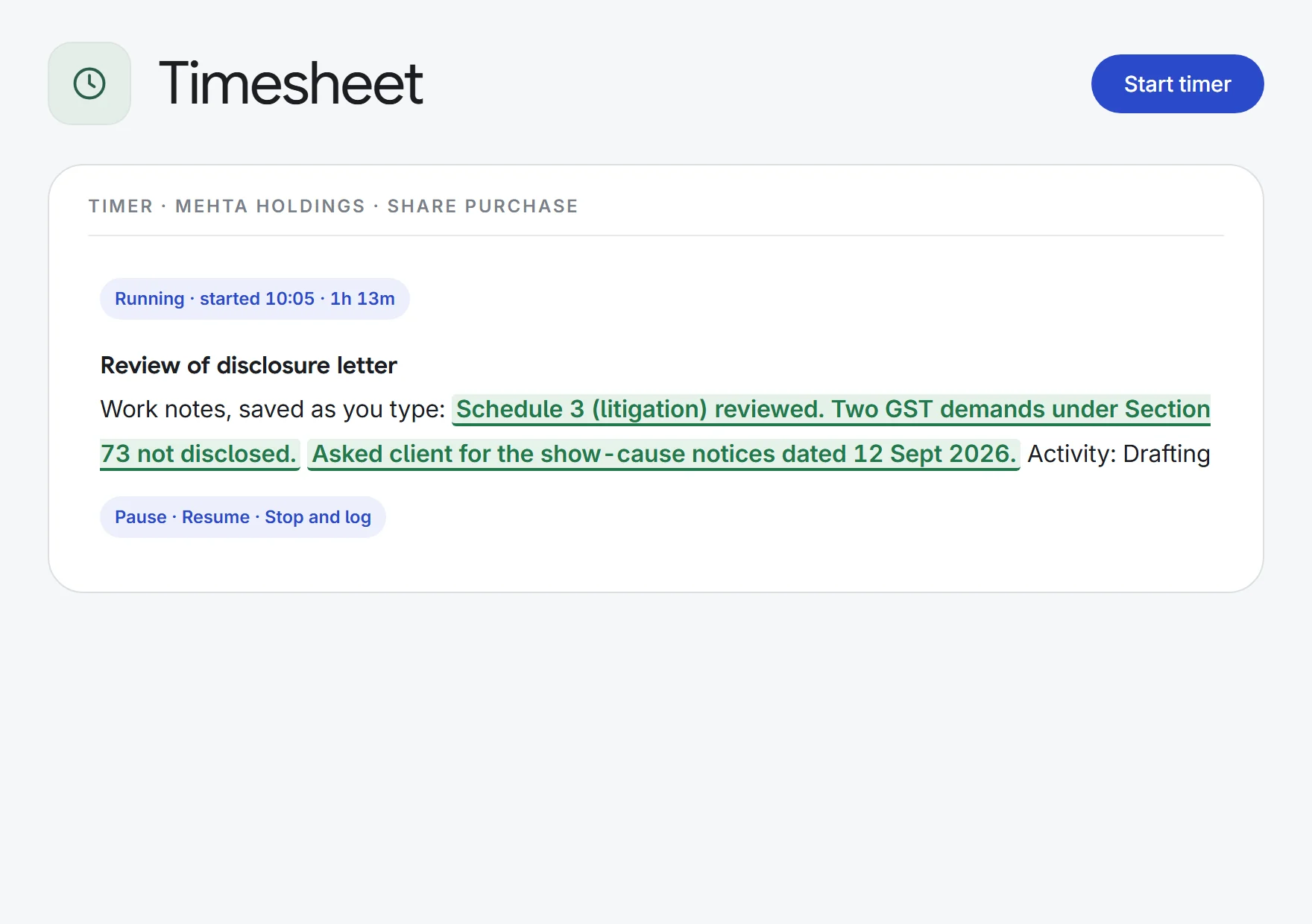
a running timer→a logged entry
Work notesMinutesBillable
- Out-of-pocket costs
court fee receipts→billable expenses
HeadAmountReceipt
- Weekly review
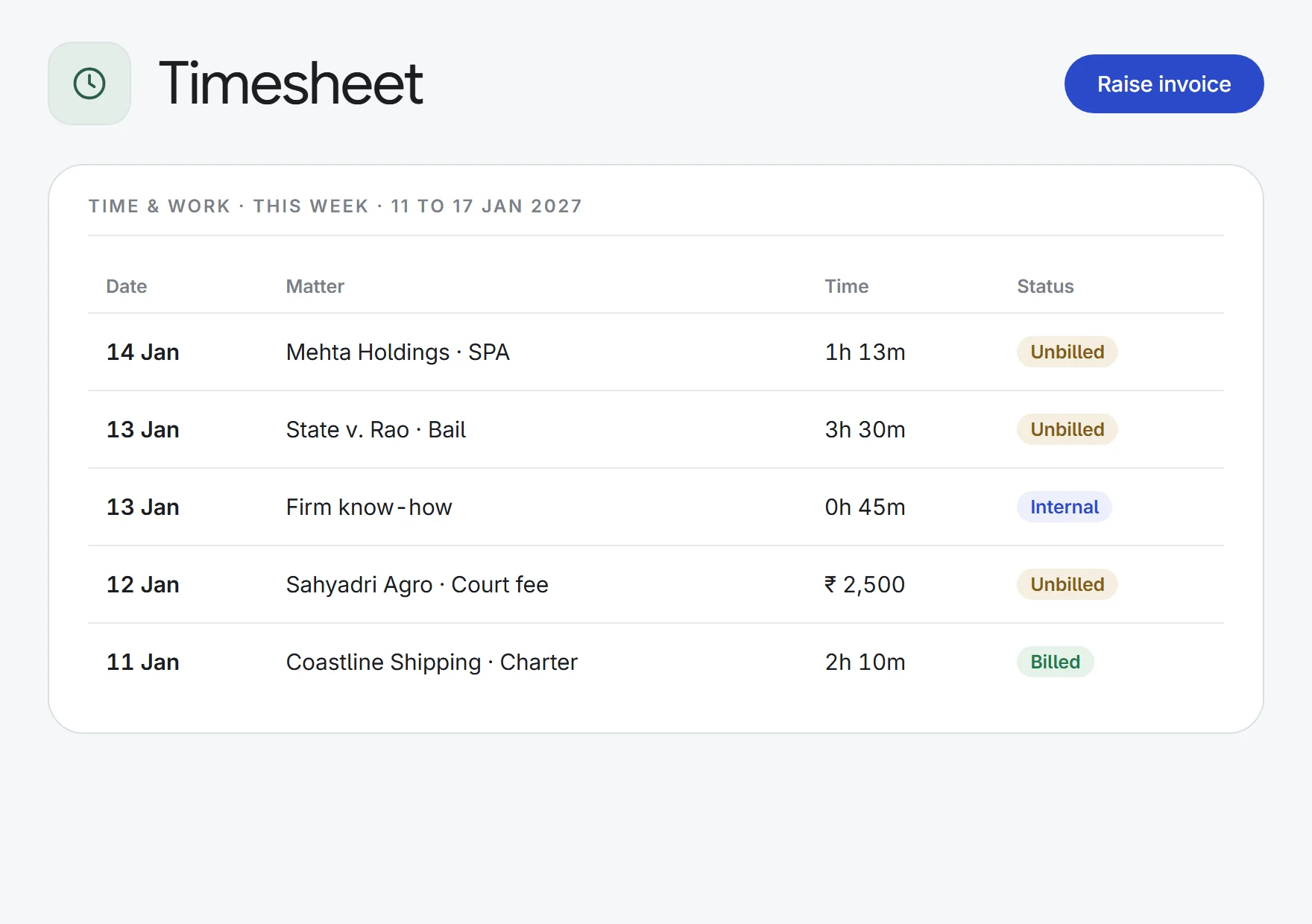
a week of entries→the unbilled total
BillableInternalUnbilled
What Timesheet does.
A timer on every page
Start it from the top bar or from the matter. Pause, resume and type work notes as you go; stopping it saves the entry. One timer runs at a time.
Or log it afterwards
Enter hours and minutes, the date, the matter or task, the activity and a description for work already done. You can also log time from inside a task.
Billable or internal
Mark each entry billable or internal, and tag it as a call, video call, meeting, research, drafting, court or travel.
Expenses with receipts
Record court fees, travel, printing, courier, expert and research costs against a matter, attach the receipt, and mark each one billable or not.
The rate in force that day
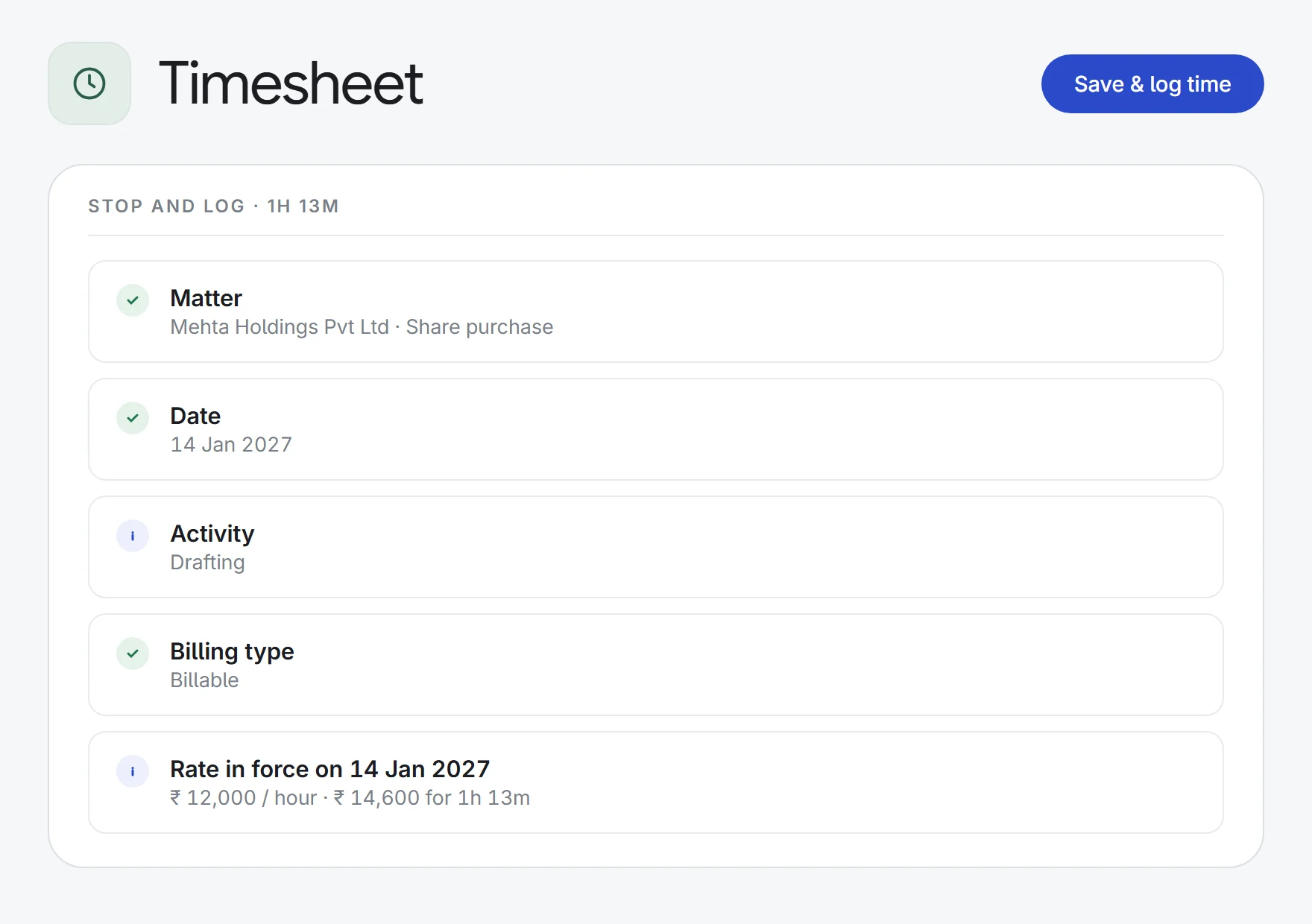
Billable time on hourly matters is priced from the client’s rate card for the date worked: the person’s own rate first, then the client’s default.
Your week at a glance
The list opens on this week with totals for billable, internal, unbilled and expenses. Filter by dates, matter, activity or billing type.
Amounts on a need-to-know basis
Without permission, people log time without seeing rates or amounts, and see only their own entries. Admins choose who sees the figures.
Locked once billed
Raising an invoice locks the entries it used, so billed time can’t be edited or deleted. Voiding the invoice releases them.
How it works.
- 1Start the timerFrom the top bar or the matter, or add an entry for work already done.
- 2Stop to log itChoose billable or internal, and the time is saved against the matter.
- 3Review the weekCheck billable and unbilled totals, then raise the invoice in Billing.
Enquiry to invoice: intake, conflicts, clients, tasks, time and billing.
See all 33 appsStart the timer on your next matter.
Start a 7-day free trial, or see Timesheet on one of your own matters with our team. Every plan includes every app.