Copying facts into templates by hand?
Let your documents fill them in.
Give it your firm’s own Word template and the documents the facts come from, and it fills the template in place. You get your original file back with every change as a tracked change and a comment naming its source.
- Term sheet to SPA
1 term sheet→a filled SPA draft
PriceCPsWarrantiesGoverning law
- Engagement letters
an intake form→the firm’s letter
ClientScopeFees
- Board resolutions
meeting minutes→a completed resolution
DateDirectors presentResolution no.
- Side letters
1 side letter→an amended agreement
Amended clausesNew obligations
What Fill in the Blanks does.
Your template, your file
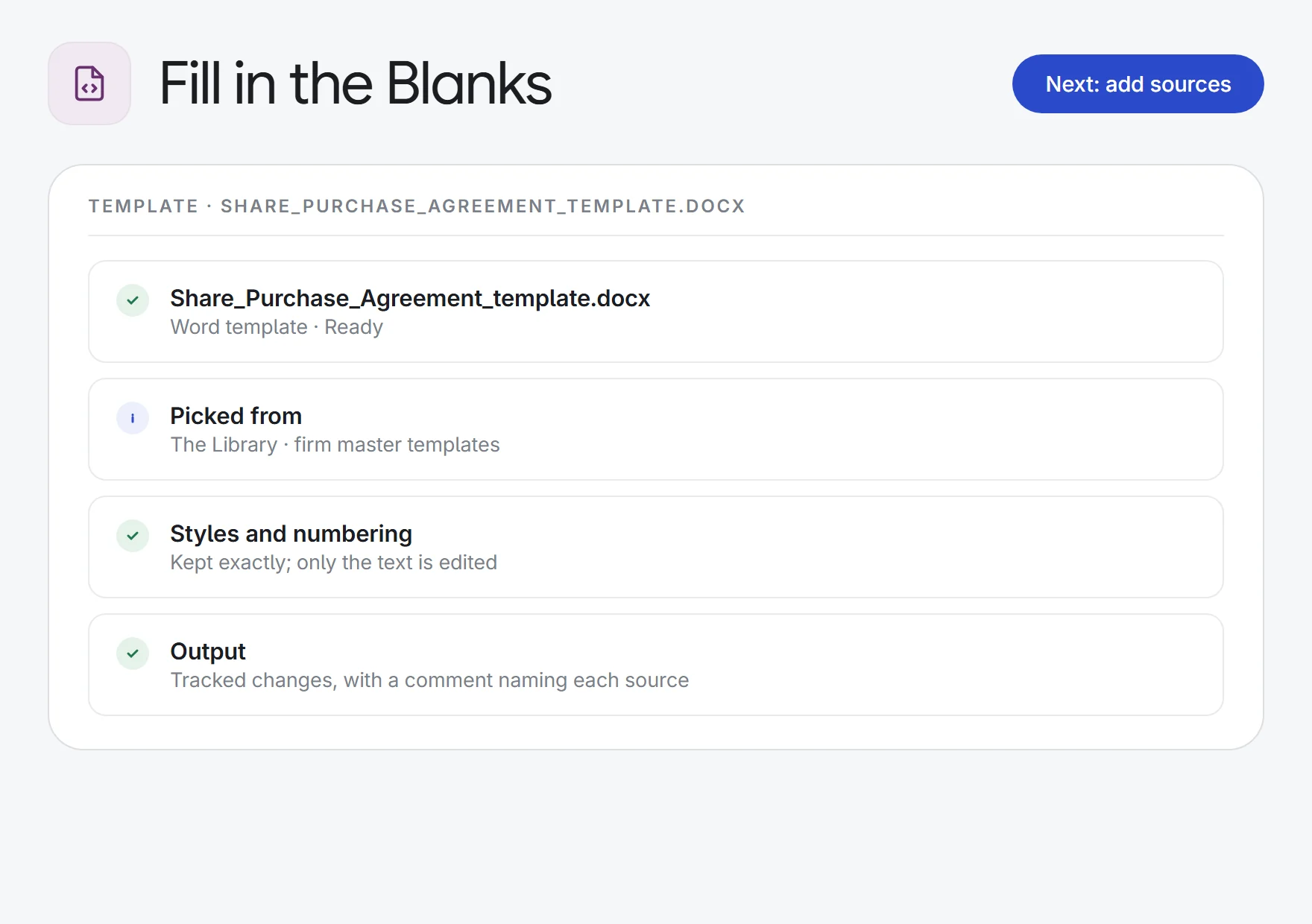
It edits your own .docx in place, so styles, numbering, headers and branding stay exactly as they were. Upload it, or pick it from the matter or the firm’s Library.
Tracked changes, with sources
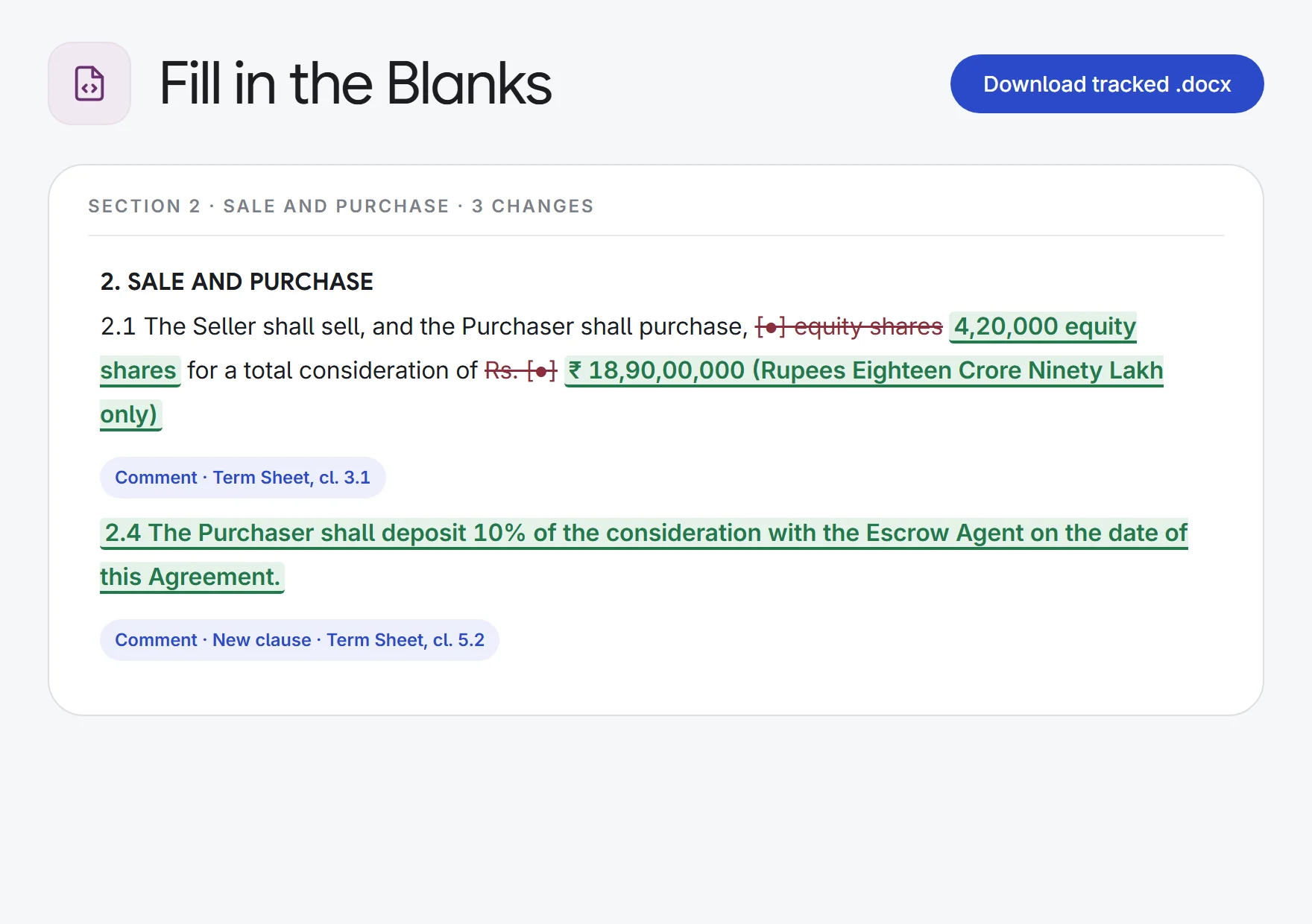
Every filled value is a real Word tracked change, with a comment naming where it came from, such as “Term Sheet, cl. 4.2”. Accept or reject in Word.
Nothing invented
Values come only from your sources or your instructions. A blank with no source stays a blank, so you can see what is still missing.
Two modes
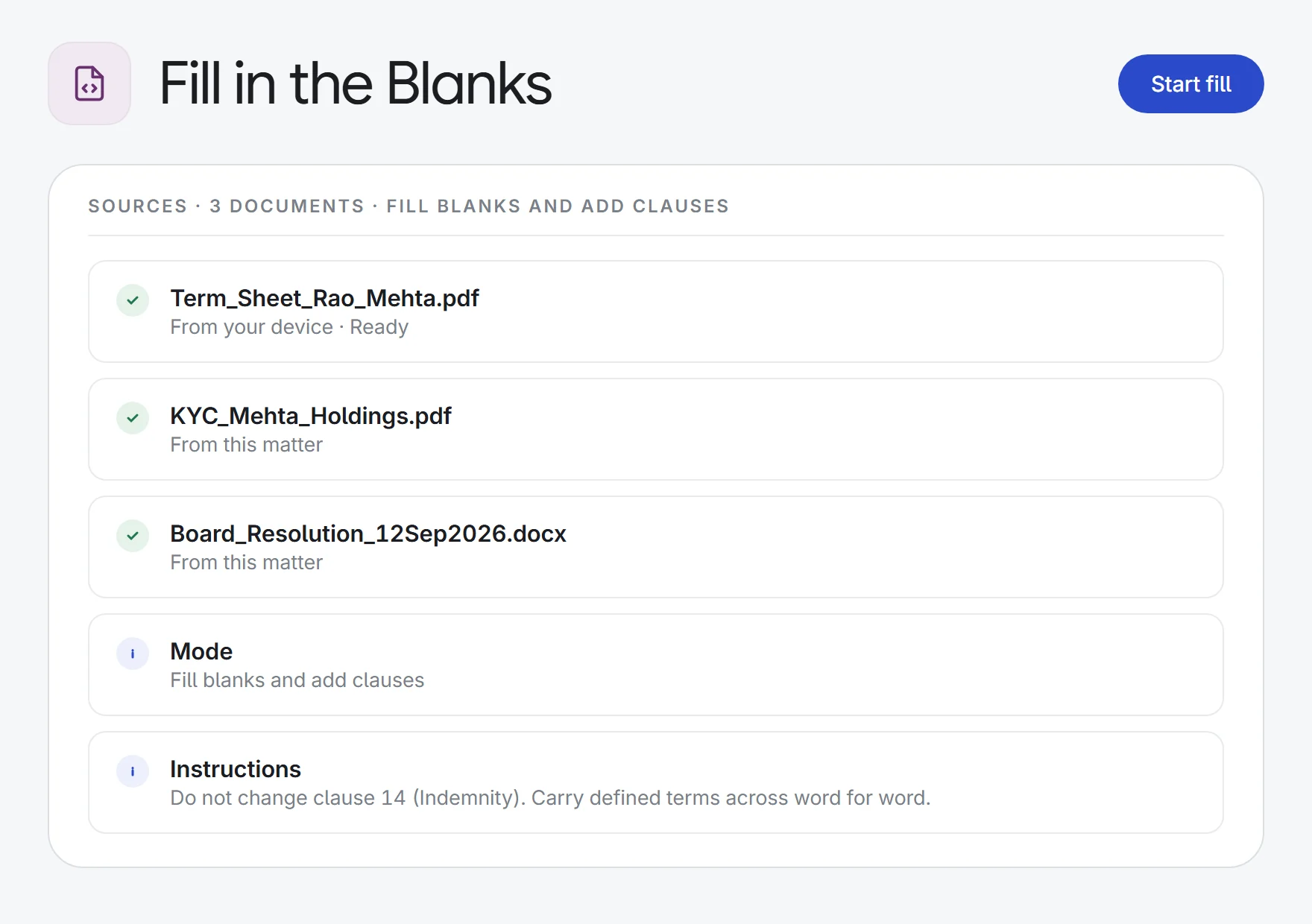
Only fill the blanks, leaving every clause as it is. Or fill blanks and add clauses: a term your sources require that the template has no clause for is written in where it belongs.
Built for long templates
The template is worked through section by section, so a 200-page master agreement is filled in full, not cut short.
Review each section
Follow progress section by section, then open any section to see each before-and-after change and its source before you download.
Sources in any format
Draw the facts from PDF, Word, text, Excel or PowerPoint files, uploaded or picked from the matter or the Library.
Add your instructions
Optional: give a completion date or an address, say which wording must not change, or what must be carried across word for word.
How it works.
- 1Choose the templateUpload your .docx, or pick it from the matter or the Library.
- 2Add the sourcesAttach the term sheet, KYC or correspondence, choose a mode and add any instructions.
- 3Review and downloadCheck each section’s changes, then download the tracked .docx and accept or reject in Word.
Try it on your next firm template.
Start a 7-day free trial, or see Fill in the Blanks on one of your own matters with our team. Every plan includes every app.