Starting from a blank page?
Begin from a draft in your style.
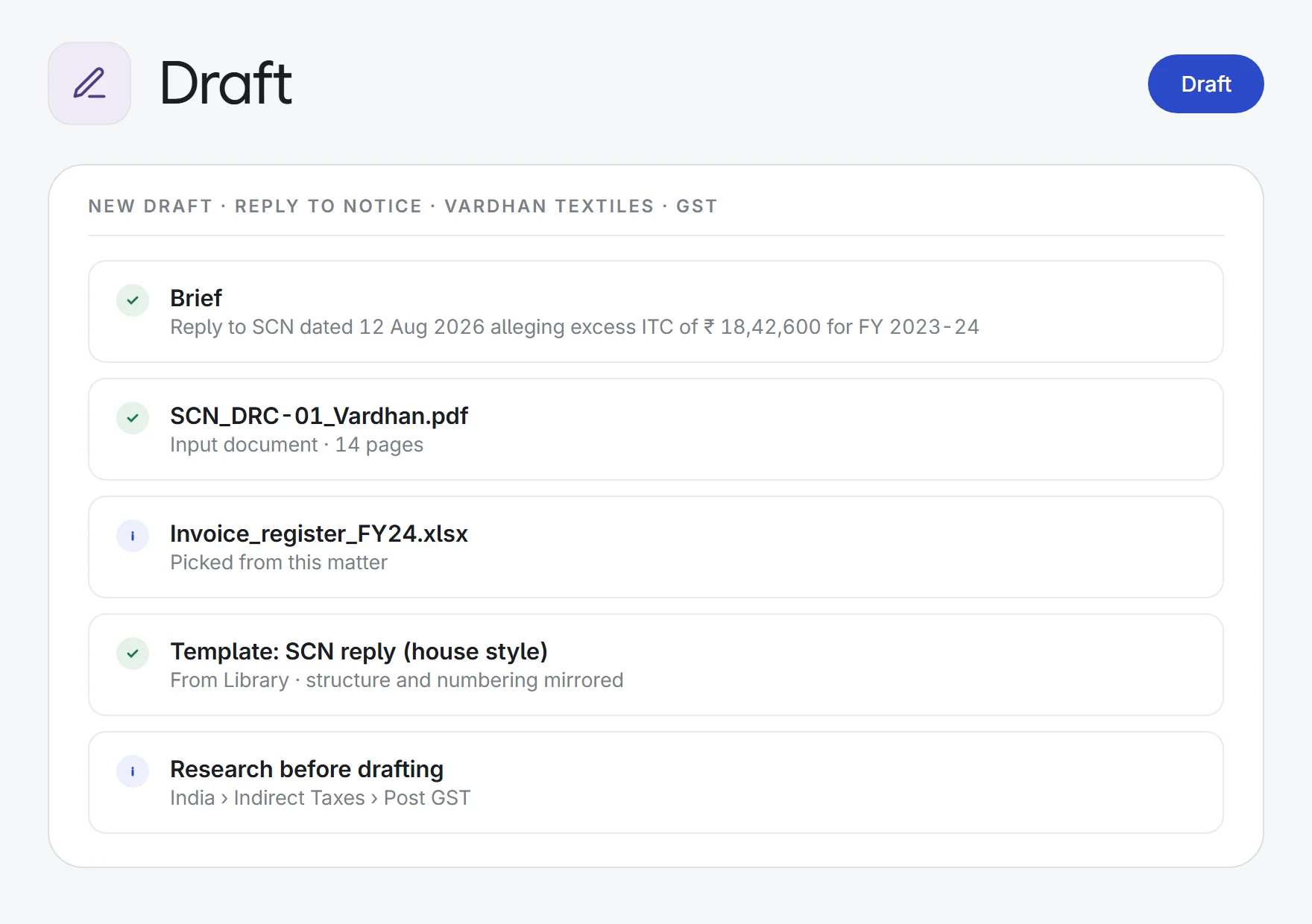
Get a first draft of a notice, reply, agreement, pleading or opinion, built from your brief, the matter’s documents and your firm’s own templates. Edit it in place, then download it as a Word file.
- Tax notices
GST show cause notice→a reply draft
FactsGroundsPrayer
- Commercial agreements
a term sheet→agreement in house style
PartiesConsiderationTermination
- Civil suits
plaint and documents→a written statement
Preliminary objectionsParawise reply
- Client advice
a client’s query→an opinion memo
IssueAnalysisConclusion
What Draft does.
12 document types
Opinion or memo, plaint, written statement, petition, written submissions, application, order, notice, reply to notice, agreement, affidavit or other. Each type comes with an outline of the facts to fill in.
Your firm’s templates
Pick a house-style template from the Library, or upload a Word or PDF file to mirror. The draft follows its structure, headings, clause numbering and tone.
Built from the matter
Upload files, pick documents from the matter, or search all of the matter’s documents at once. Parties, dates and facts are drawn from them. Scanned files are OCR’d.
Research before drafting
Optionally search the legal database by country, law group and Act, or your firm’s knowledge base, before the draft is written.
Sources you can open
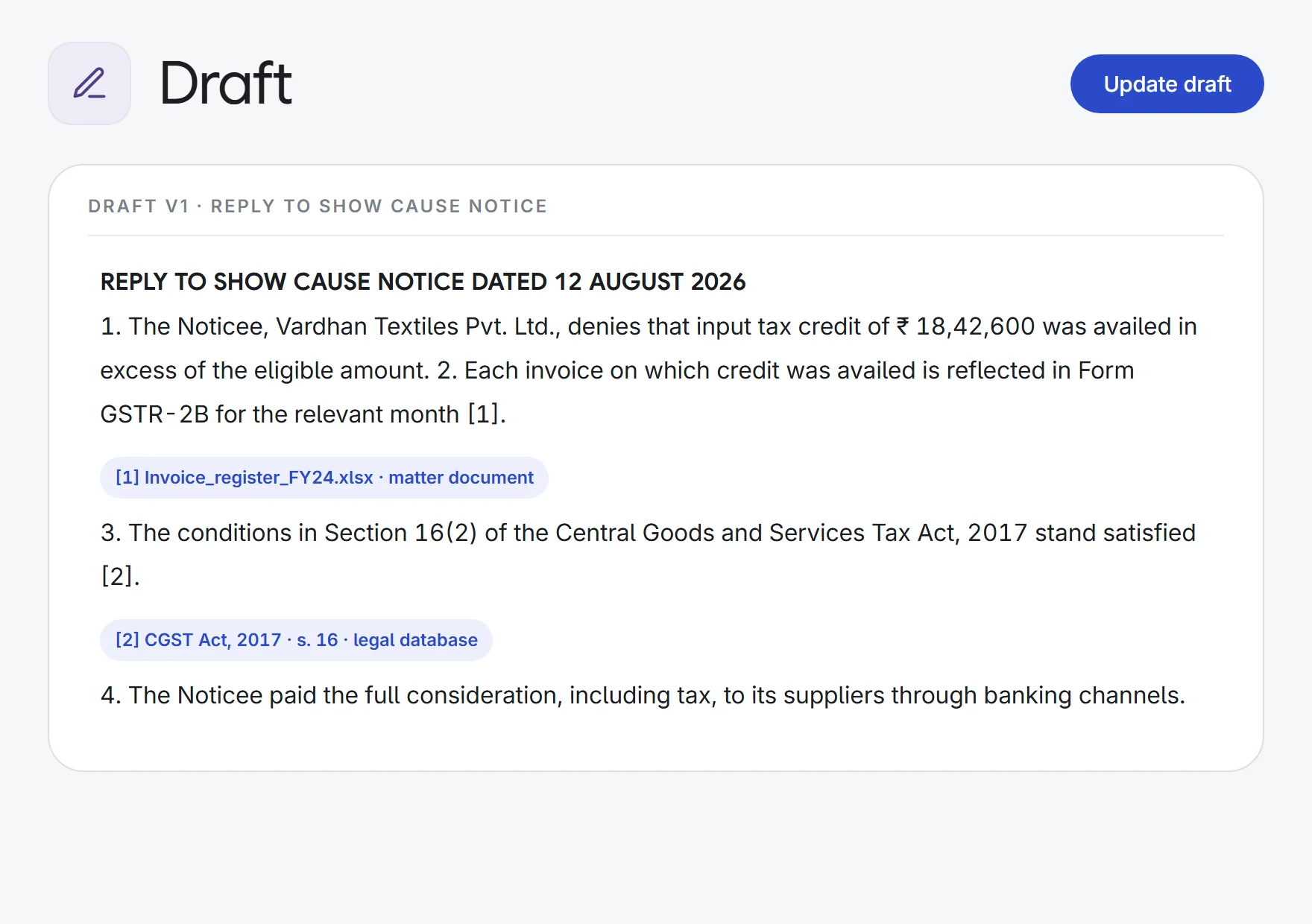
Uploads and researched authorities are numbered in a Sources panel. Click one to open it, with the cited passage highlighted in PDFs.
Edit with track changes
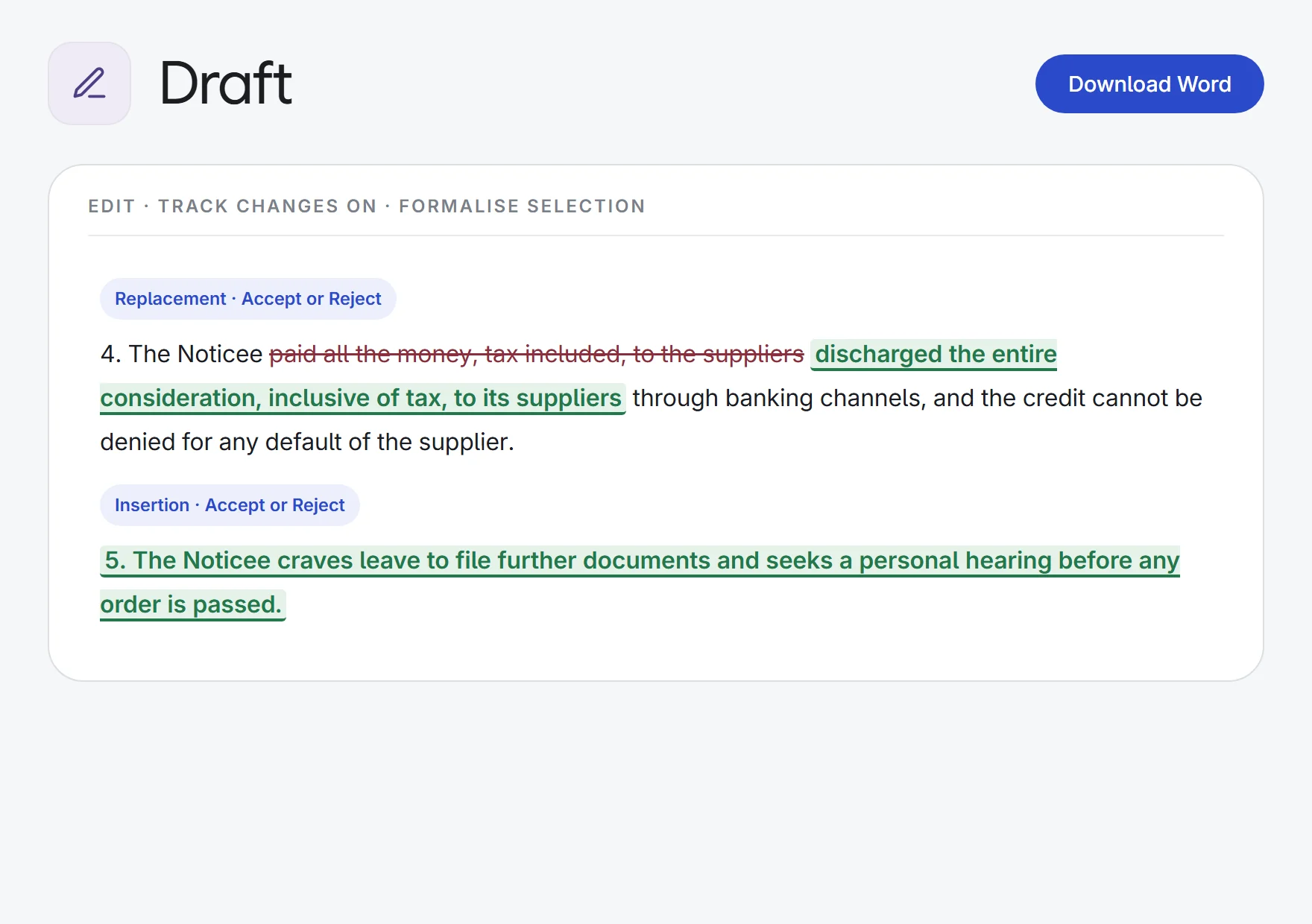
Edit in a full editor. Your edits and AI rewrites of a selection show as track changes, struck and inserted, to accept or reject one by one.
Rewrite any passage
Select text and ask to improve, shorten, expand, formalise, simplify, fix grammar, or follow your own instruction.
Versions kept
Add revision notes or more documents and get the next version. Earlier versions stay in the version list.
Word, PDF and Word add-in
Download an editable .docx or a PDF, save it to Notes, or open it from the Lexlegis panel inside Microsoft Word.
How it works.
- 1Describe the draftChoose the document type, write the brief, and add documents and a firm template.
- 2Read the draftWatch it write, check the numbered sources, and ask for a new version with your notes.
- 3Edit and downloadRefine it with track changes, then download it as a Word file or PDF.
Research, read, draft and delegate, with a source behind every answer.
See all 33 appsTry it on your next notice or agreement.
Start a 7-day free trial, or see Draft on one of your own matters with our team. Every plan includes every app.