Too many documents to read?
Get the details in one table.
Turn a stack of documents into one spreadsheet of parties, dates, amounts, obligations and whatever else you choose. Every answer shows the exact words, page and clause it came from.
- Lease portfolios
38 leases→one rent roll
LessorRentTerm endsLock-in
- M&A data rooms
50 contracts→one red-flag list
Change of controlAssignmentTermination
- Covenant registers
1 facility agreement→64 covenants
CovenantClauseTest date
- Litigation trackers
45 orders→one case tracker
CourtCase no.Next date
What Extract to Table does.
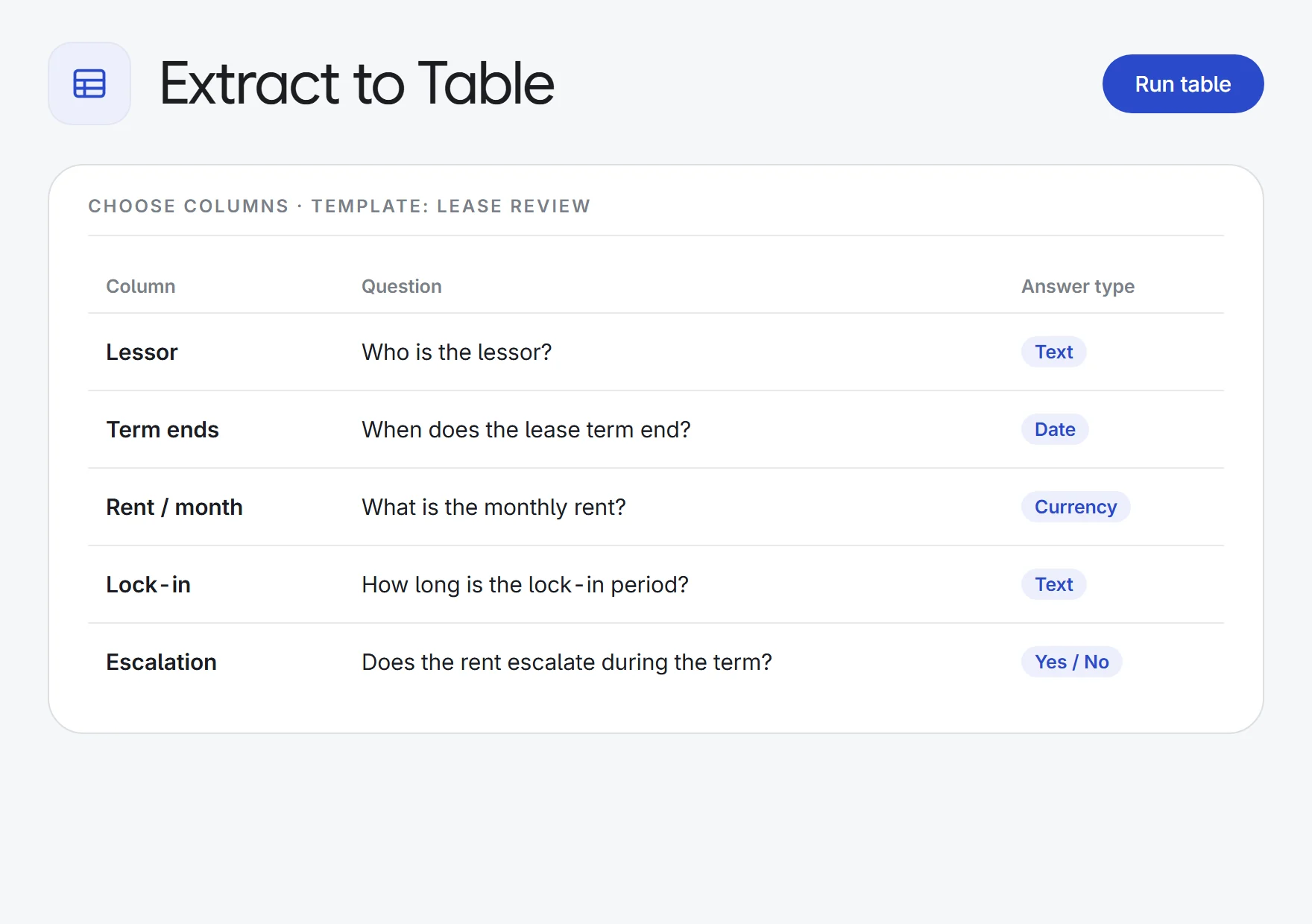
Pick your columns
Name a column and ask your question. Answers come back as text, yes/no, dates, numbers, amounts or a choice from your list.
Start from a template
Lease review, contract renewals, covenant register, conditions precedent or payment schedule. Or describe the review and get columns suggested.
A row per document, or per item
One row for each lease, or one row for every covenant, condition or payment inside a single long agreement.
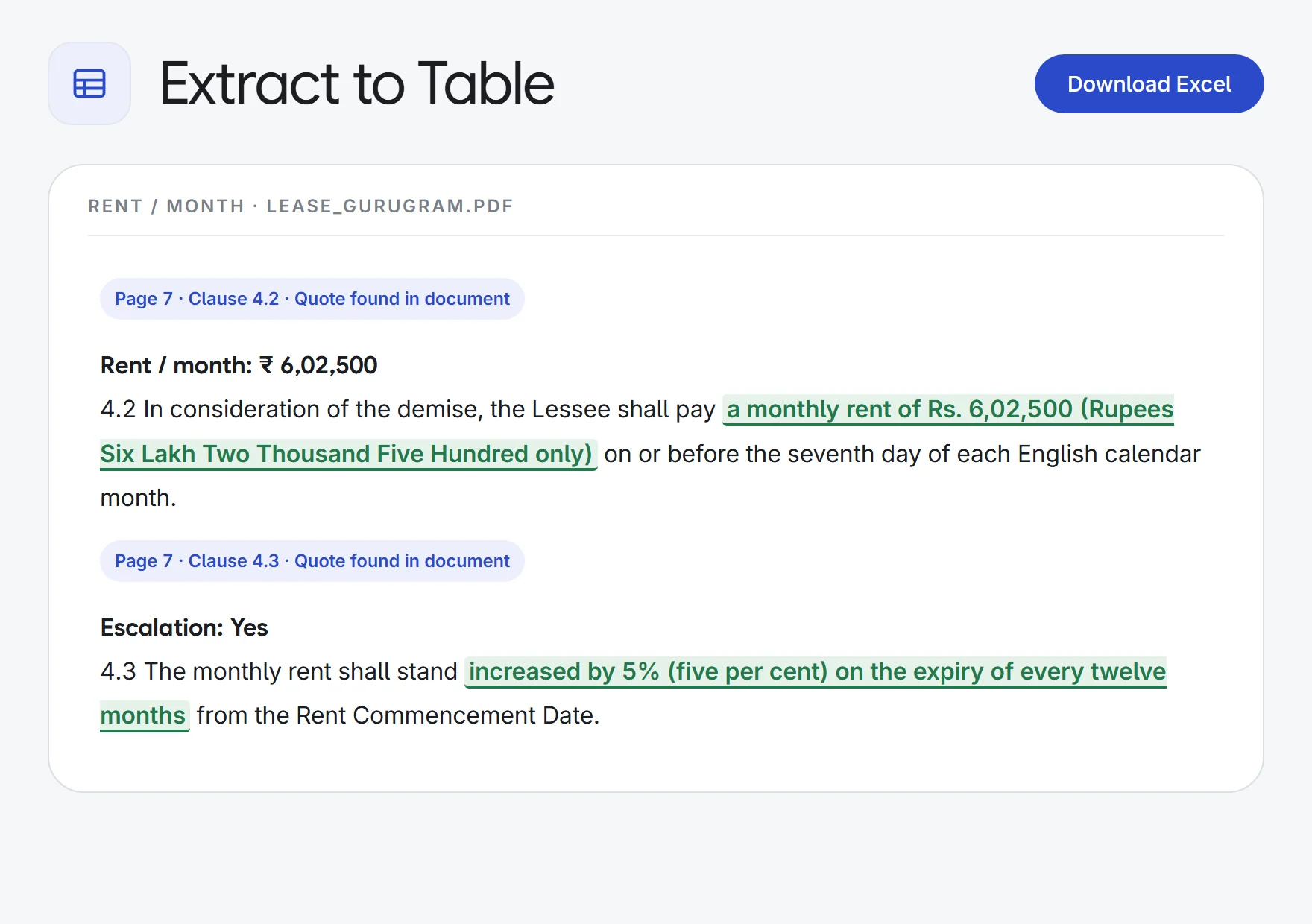
Every answer cited
Each cell carries the exact words, page and clause. Click it to open the PDF at that page with the words highlighted.
Quotes checked
The quoted words are matched against the document by software, not by the AI. Anything not found is marked for a check.
Every page read, scans too
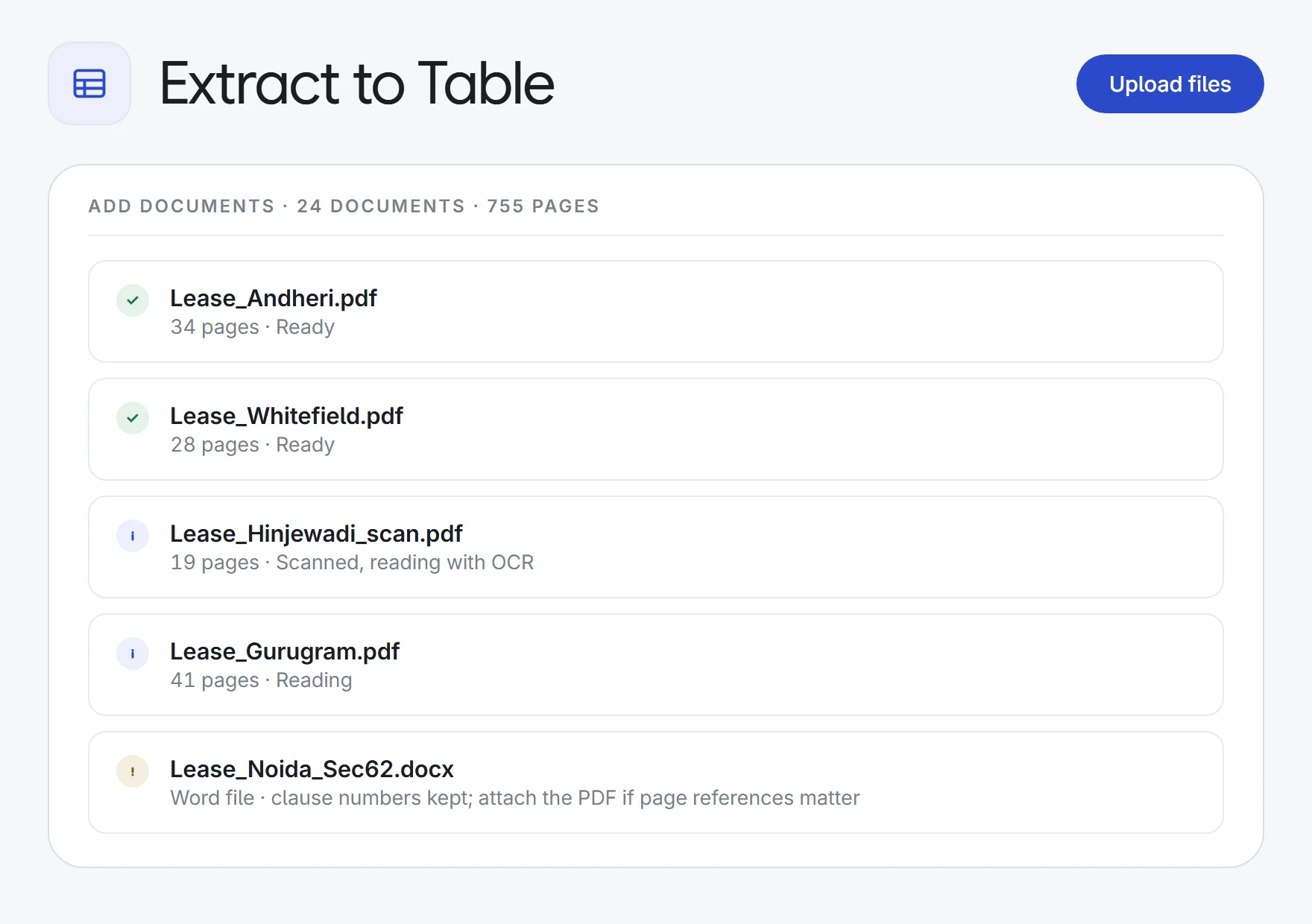
Each document is read in full, so cross-references resolve. Scanned PDFs are OCR’d. Up to 50 documents and 3,000 pages a table.
Review as a team
Edit, verify or flag any cell red, amber or green. Every change records who made it, and re-runs never overwrite it.
Add more any time
Add documents or columns later and only the new work runs. Re-run one cell, one row or one column.
Excel, with sources
Download at any time: each answer comes with its source in the cell comment, plus a sheet listing every quote. CSV too.
How it works.
- 1Add the documentsUpload PDFs or Word files, or pick them from the matter.
- 2Choose the columnsStart from a template, let AI suggest them, or write your own questions.
- 3Check and exportClick any answer to see its source, verify or flag it, then download to Excel.
Try it on your next stack of documents.
Start a 7-day free trial, or see Extract to Table on one of your own matters with our team. Every plan includes every app.