Switching windows to use AI?
Work on the contract inside Word.
A Lexlegis panel inside Microsoft Word that reviews, summarises and checks the open document against your firm’s playbook. Edits go in as tracked changes, so you accept or reject each one.
- Vendor contracts
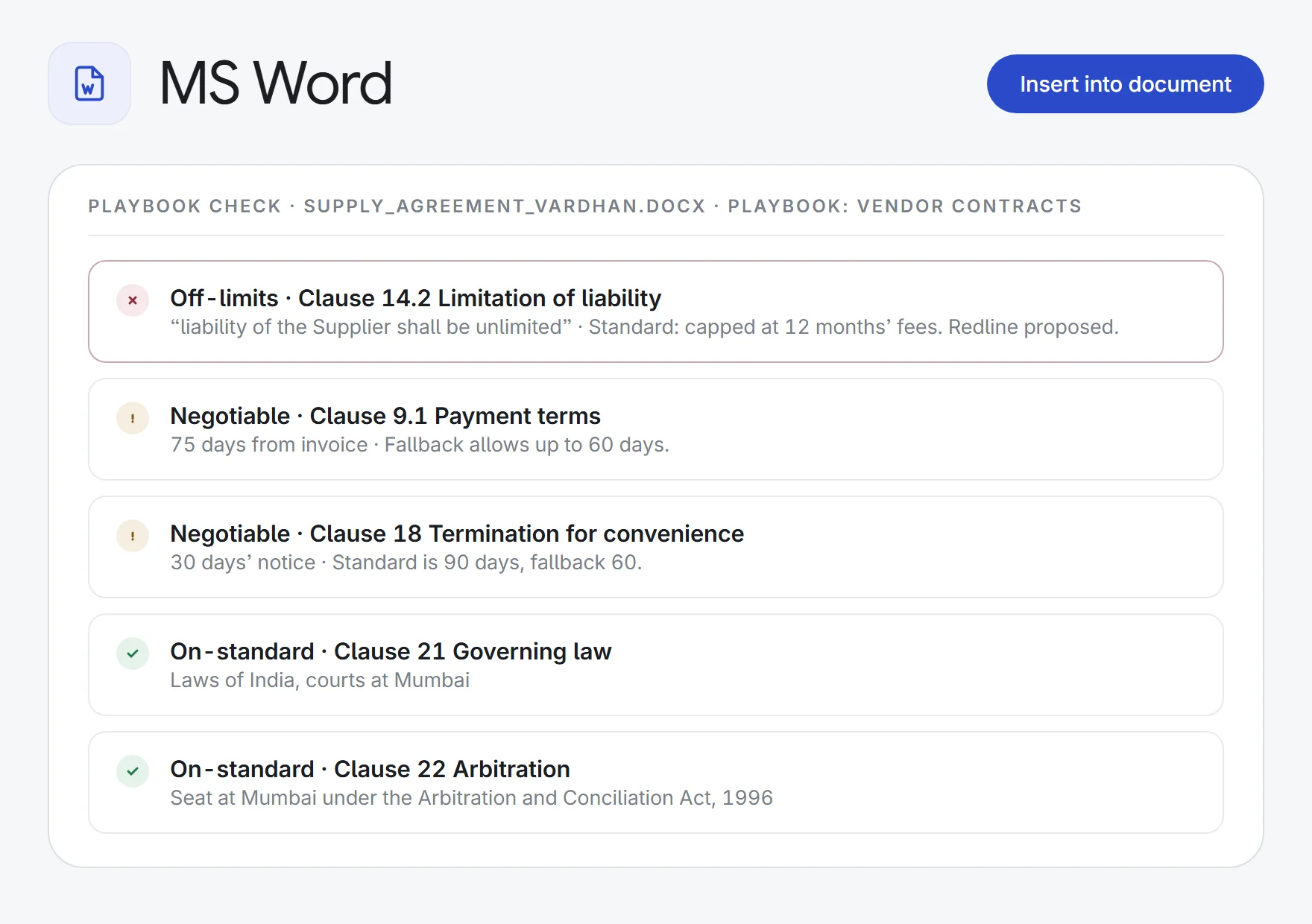
incoming supply agreement→a playbook report
On-standardNegotiableOff-limits
- Pre-signing review
final draft SHA→one risk list
HighMediumLow
- Client-ready clauses
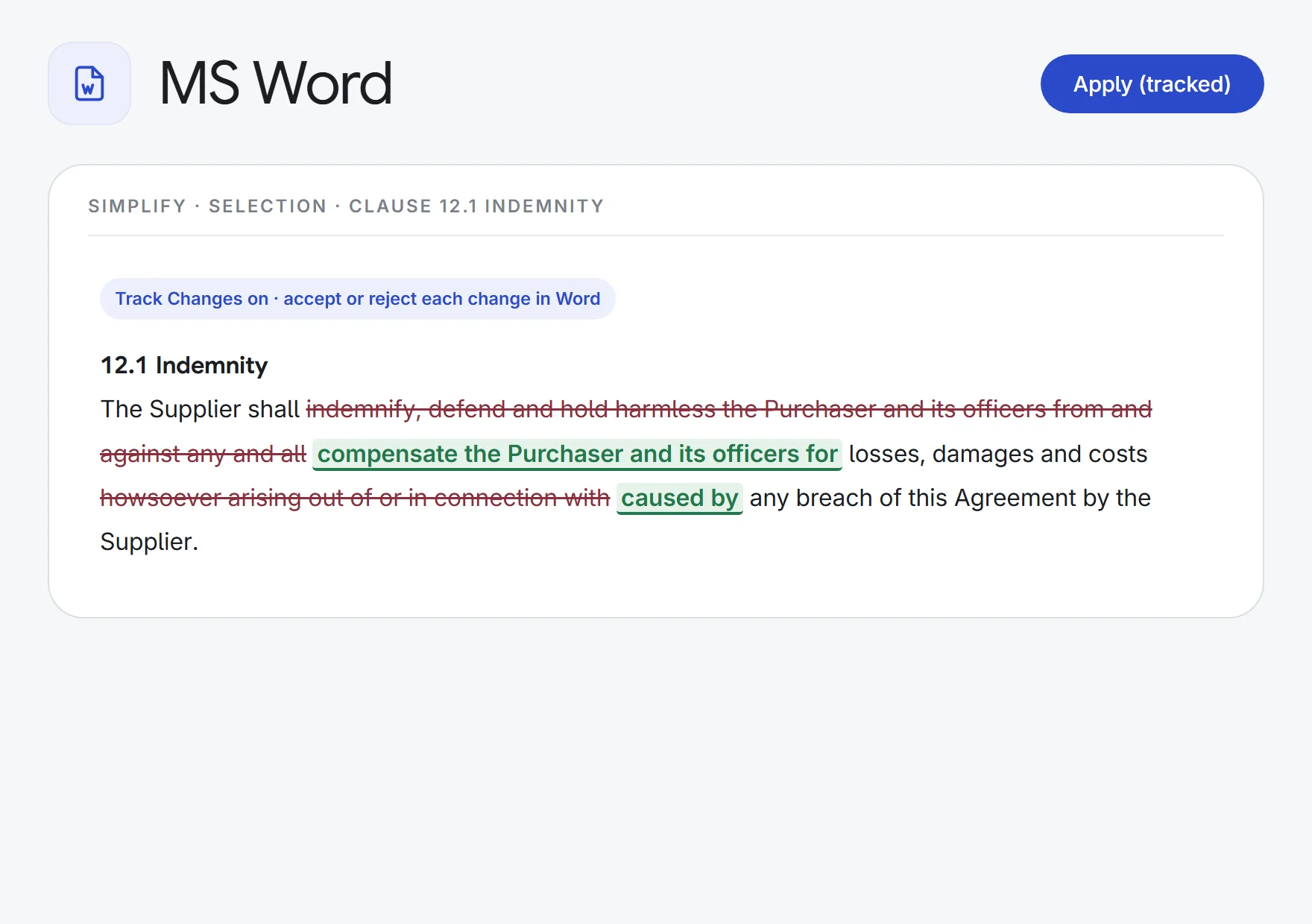
dense indemnity clause→plain English
SimplifyTracked changes
- Client onboarding
share purchase agreement→a client questionnaire
PartiesConsiderationApprovals
What MS Word does.
Playbook Check
Pick a negotiation playbook from your Library and check the open contract against it. Findings come back as On-standard, Negotiable deviation or Off-limits, each with the document’s wording and a proposed redline.
Edits as tracked changes
Suggest a rewrite, simplify into plain English, proofread, or redraft to your instruction. Click Apply and the changes go in with Track Changes on, word by word, ready to accept or reject.
Selection or whole document
Run the edit tools and Summarise on the text you have selected, or on the entire document.
Risk review
Review the document for weaknesses, inconsistencies and missing protections, with suggestions grouped High, Medium and Low.
Ask the document
DocuChat answers only from the open document, and says so plainly when the answer is not there.
Your Lexlegis drafts in Word
Open a finished draft from Lexlegis Draft and insert it at your cursor with its formatting.
Summaries, outlines, questionnaires
Turn the document into a short memo, an outline of sections with a line on each, or a questionnaire of what the client needs to provide.
Just say what you need
Type a request in plain words and the panel picks the right tool, or asks you a question if it is unclear.
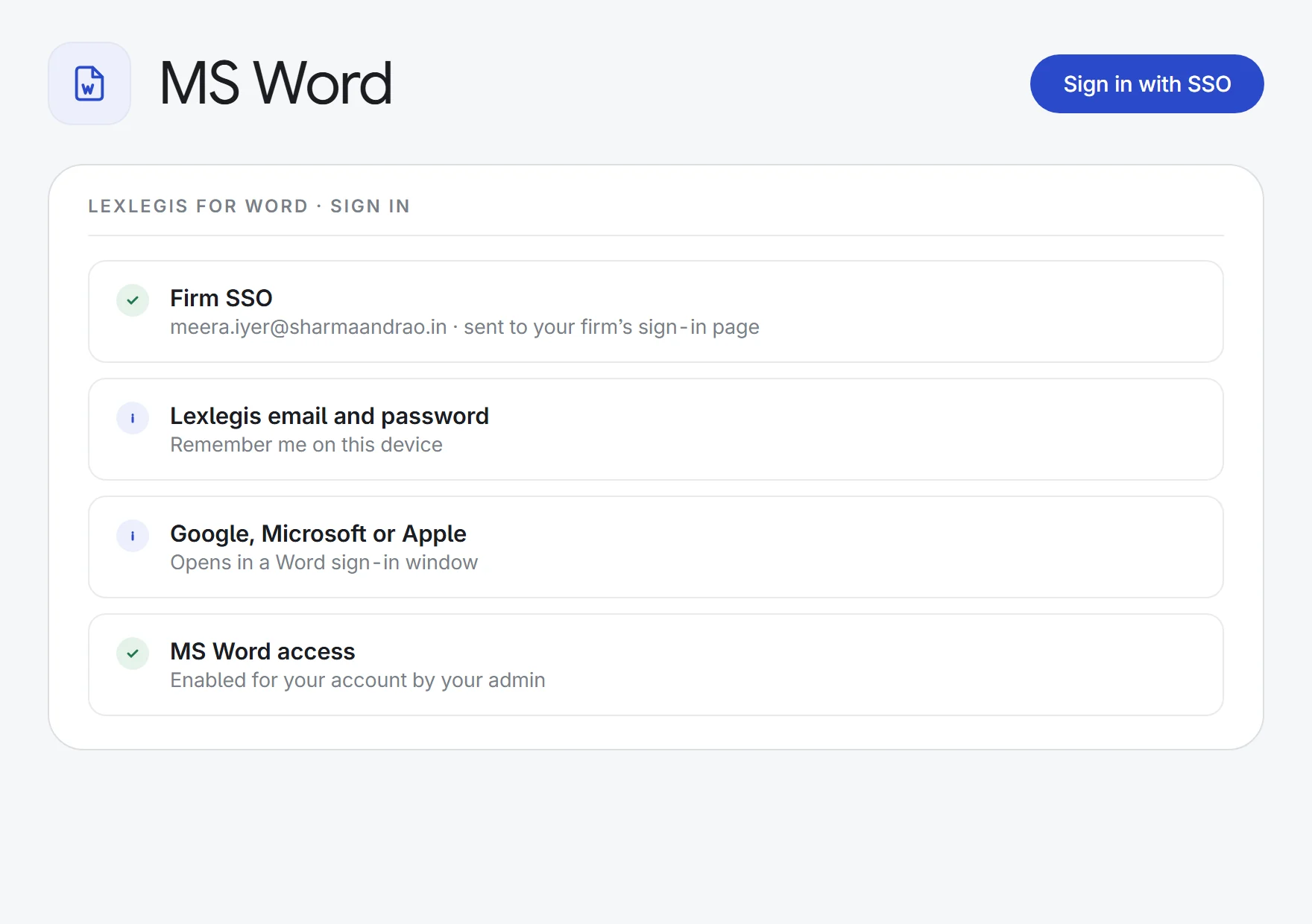
Firm sign-in
Sign in with your Lexlegis account, your firm’s single sign-on, or Google, Microsoft or Apple.
How it works.
- 1Sign in inside WordOpen the Lexlegis panel in Word and sign in with your Lexlegis account or your firm’s SSO.
- 2Pick a toolRun a Playbook Check, review or summarise the document, ask it a question, or edit a selection.
- 3Apply or insertEdits go in as tracked changes; reports, summaries and drafts insert at your cursor.
Lexlegis where you already work: Word, WhatsApp, your phone, and offline on your own machine.
See all 33 appsOpen your next contract with Lexlegis in Word.
Start a 7-day free trial, or see MS Word on one of your own matters with our team. Every plan includes every app.