Hunting for the right judgment?
Search, filter and read the analysis.
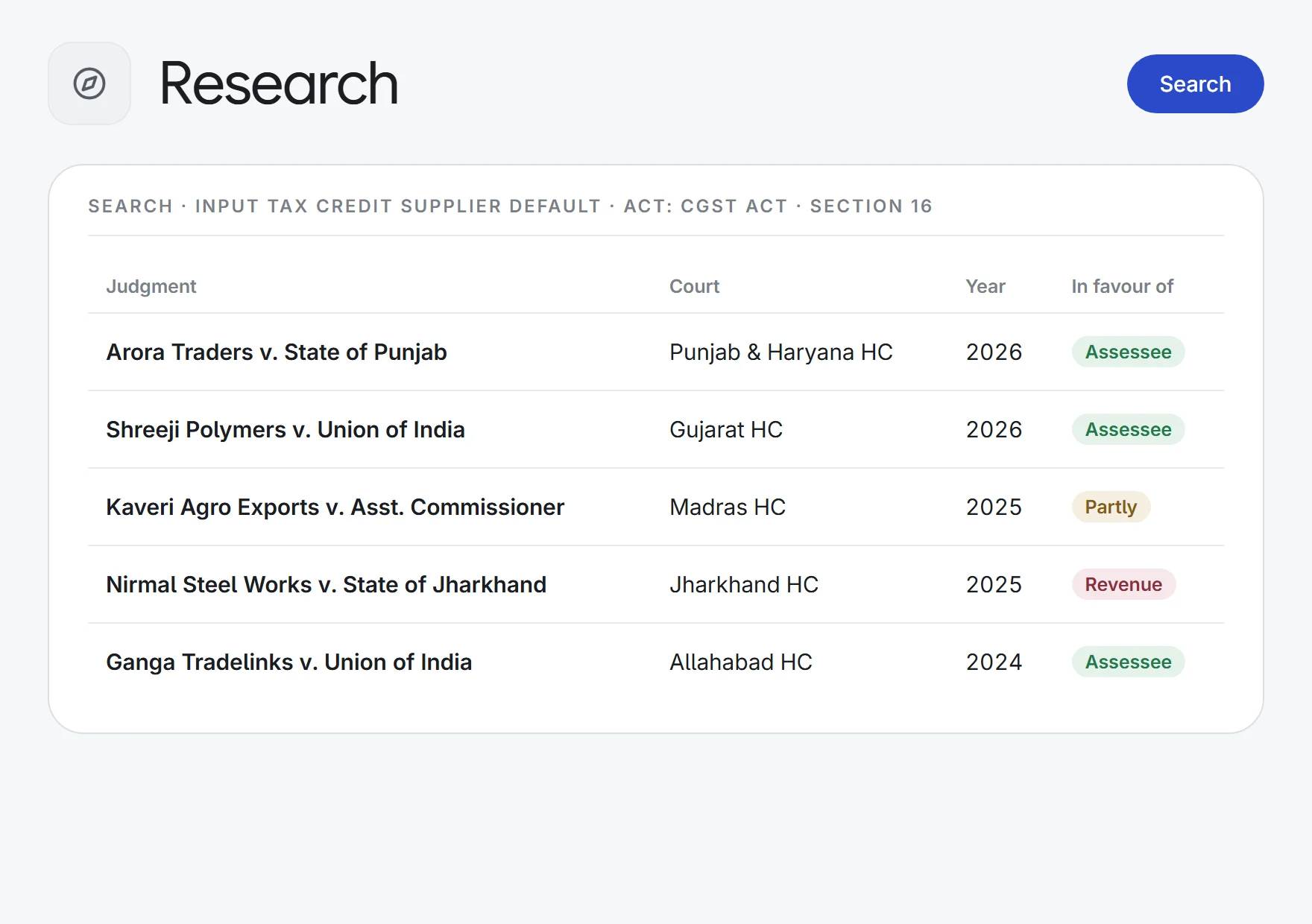
Search judgments, orders, circulars and notifications in one place, narrow the results by court, judge, Act or section, and open each judgment as a PDF or as an AI analysis of its issues, reasoning and outcome.
- GST litigation
one ITC question→50 top authorities
CourtSectionIn favour of
- Opinion work
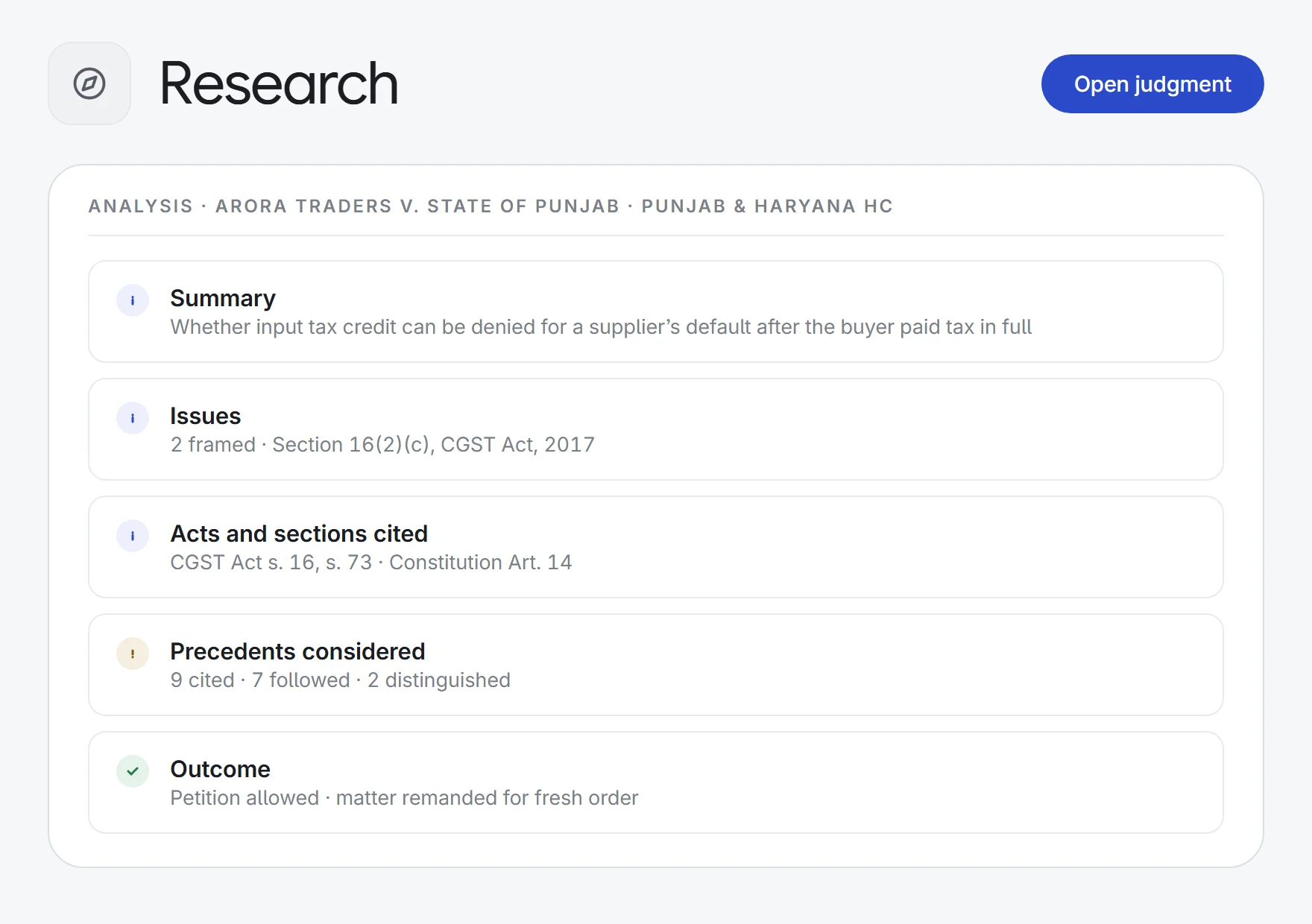
a 60-page judgment→one analysis screen
IssuesRatioDirections
- Precedent checks
18 cited cases→one treatment map
FollowedDistinguishedOverruled
- Circular tracking
a new CBIC circular→its operative effect
Issued underEffective dateSupersedes
What Research does.
One search, every document type
Judgments, orders, circulars, notifications and press notes in one index, with legal catchphrases suggested as you type. The top 50 matches show at once.
Filter the way you think
Narrow by court or authority, document type, bench, year, Act, section, judge, topic, or the side the decision went in favour of.
Fresh from the courts
The Latest screen lists the 20 most recent judgments and orders by date of order, with a day-by-day chart of what has been captured.
AI analysis of each judgment
Summary, issues as framed, each side’s arguments, findings, ratio, directions, risk flags and the Acts and sections cited. Switch back to the PDF in one click.
How precedents were treated
Each case the judgment relies on is listed with its treatment, such as followed, distinguished or overruled, and the point it was cited for.
A graph of the judgment
A visual map linking the judgment to its issues, the provisions it applies, the precedents it cites and the outcome. Click a node to read that part.
Circulars read for effect
Circulars and notifications show what they were issued under, who they apply to, the effective date, what they amend or supersede and the compliance obligations.
Original PDF, ready to download
Every result opens in the in-app PDF viewer, with headnotes alongside and a download button.
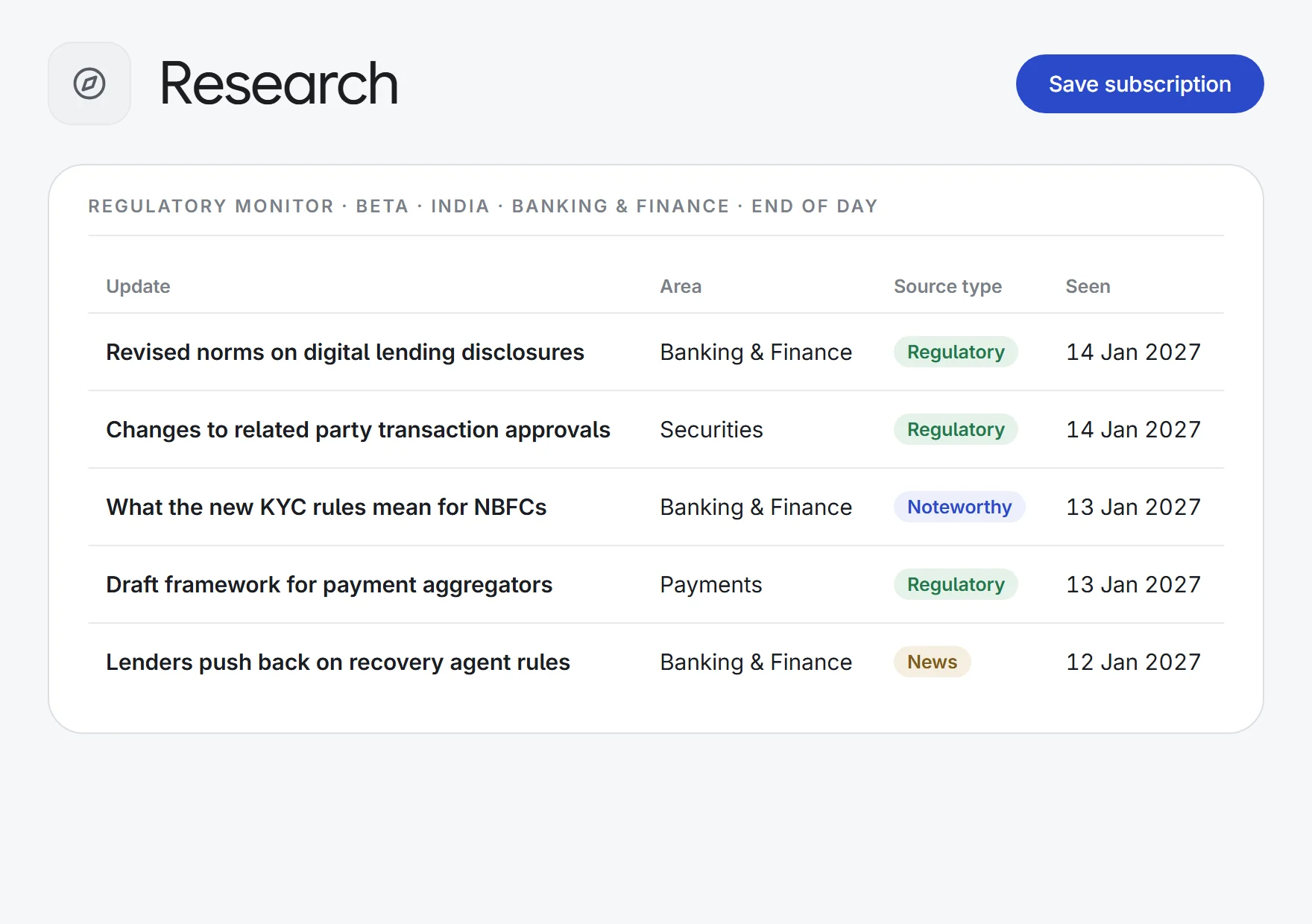
Regulatory Monitor (beta)
Follow jurisdictions, regulatory areas and industries worldwide, and get matching updates as they happen, at end of day or weekly.
How it works.
- 1Search or browse LatestType your question or check the newest judgments, then filter by court, Act, section or judge.
- 2Read the analysisOpen the judgment’s issues, outcome, precedents and graph, or the original PDF.
- 3Follow what mattersSet up the Regulatory Monitor for the jurisdictions and areas you track.
Try it on the next question you research.
Start a 7-day free trial, or see Research on one of your own matters with our team. Every plan includes every app.