Contracts lost in email threads?
Draft, sign and track in one place.
Draft, review, approve, sign and track contracts in one pipeline. AI reviews each clause against your firm’s playbook, and reminders go out before renewal, expiry and payment dates.
- Vendor contracts
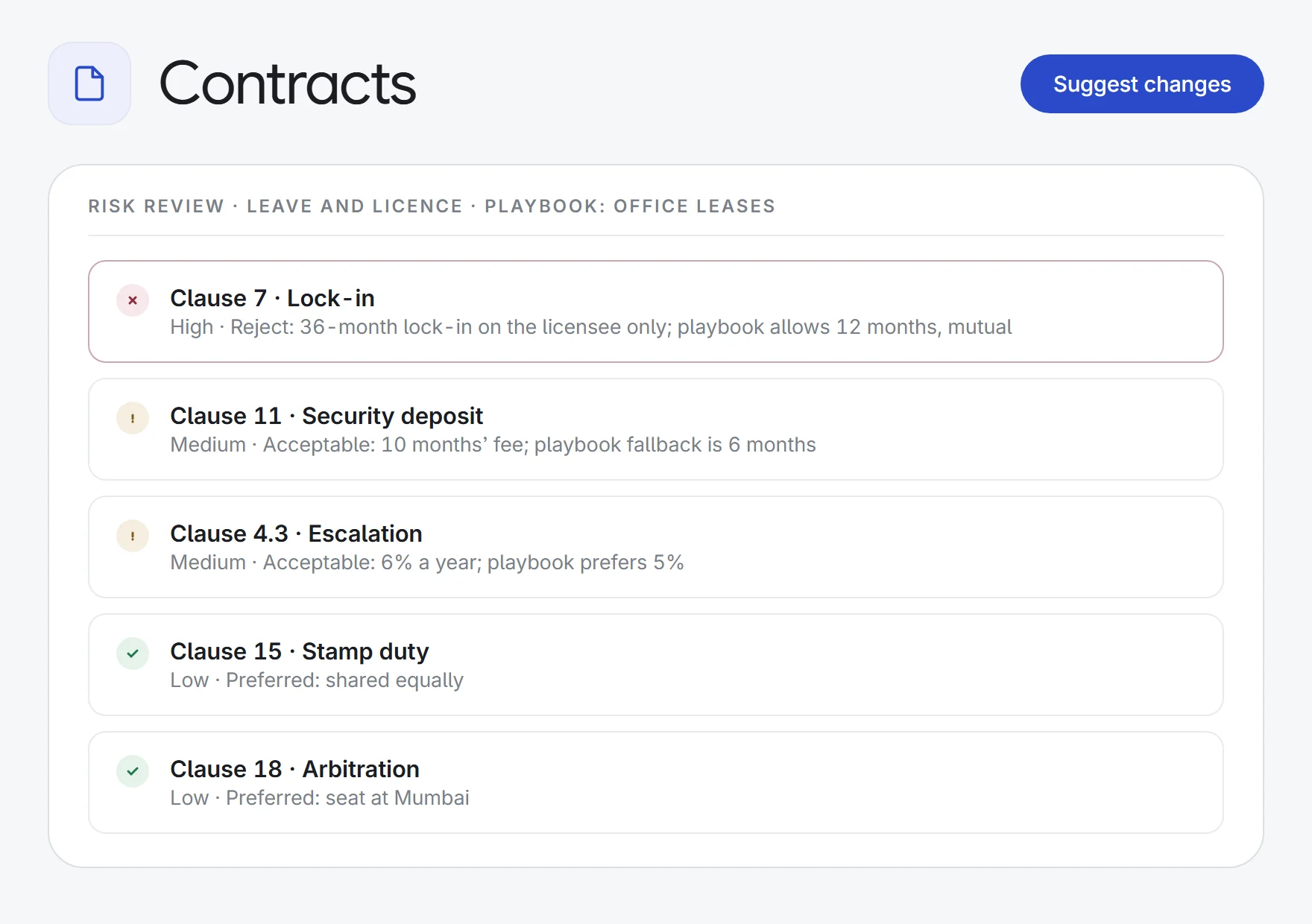
a third-party MSA→risk findings
ClauseSeverityPlaybookFix
- Counterparty markup
a returned draft→accept or reject list
InsertionDeletionReplacement
- Leave and licence
an unsigned licence→a sealed signed PDF
SignersSHA-256QR check
- Renewal calendar
120 contracts→dated reminders
RenewalExpiryNoticePayment
What Contracts does.
One pipeline
Every contract sits in a stage: drafting, in review, approval, signature or executed, with expired and archived kept apart. Link it to a matter and it shows there too.
Template, AI draft or upload
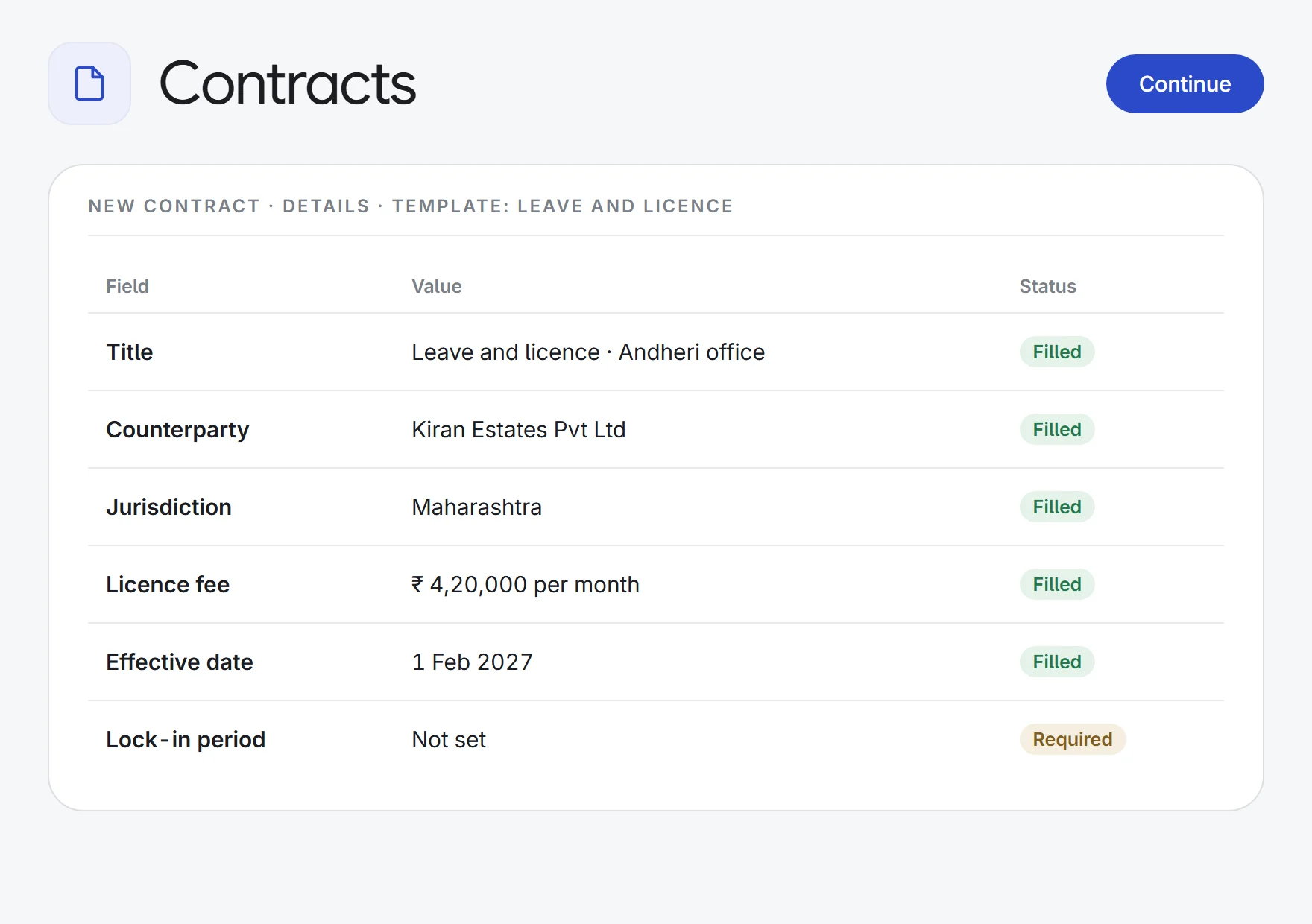
A setup wizard takes you through details, variables, parties and commercials, starting from a firm template, an AI draft from your brief, or an uploaded contract.
Clause library
Insert approved clauses into a contract. Each is tagged by risk, whether it is a fallback, and whether using it needs approval.
AI review against your playbook
Each clause is marked preferred, acceptable or reject against your negotiation playbook, with a severity from low to critical and a suggested fix. PDFs, Word files and scans work.
Counterparty markup, change by change
Attach the returned draft and every insertion, deletion and replacement is listed to accept or reject. Your later edits are kept, and anything that can’t be placed is shown, not overwritten.
Findings into redlines
Accept the fixes you want from a risk review and AI writes them up as a round of changes, which you review one by one like any other.
Approval routing
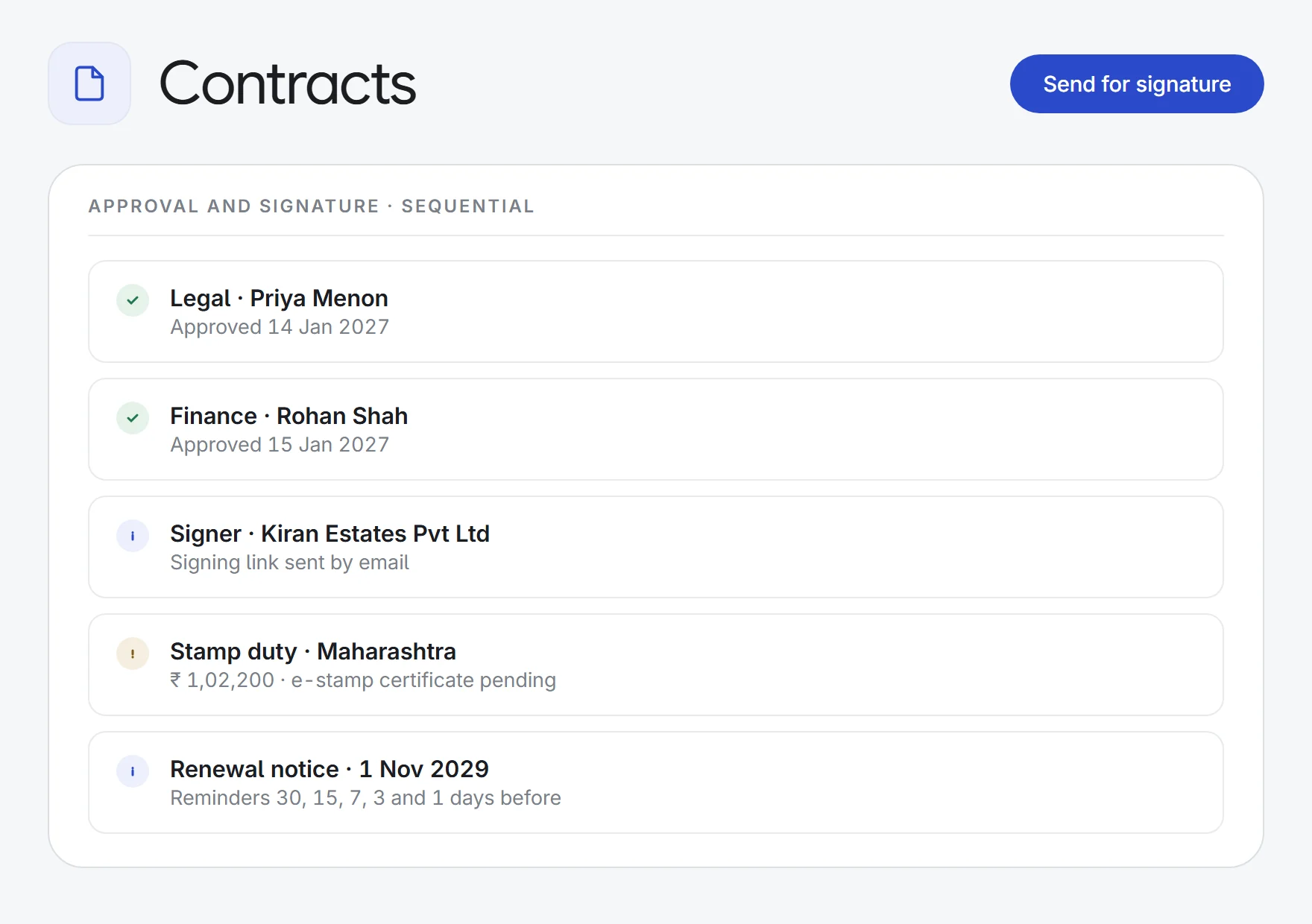
Rules by contract type, value, risk, jurisdiction or team add approvers automatically, or pick a saved chain. Approvals run in sequence or in parallel.
Built-in e-signature
Send signing links by email, in order or all at once. The signed PDF is sealed with SHA-256 hashing, a certificate of completion and a QR code to verify it.
Stamp duty and key dates
Track payment milestones, stamp duty, e-stamp and registration by state. Renewal, expiry, notice and payment dates send reminders 30, 15, 7, 3 and 1 days before.
How it works.
- 1Draft or uploadStart from a firm template, an AI draft or the counterparty’s paper.
- 2Review and negotiateRun a playbook risk review, then accept or reject each change.
- 3Approve, sign and trackRoute for approval, e-sign, and get reminded before key dates.
Contracts, court cases, compliance, tenders, due diligence and IP, each tracked to the day, plus analysts who do the high-volume work for you.
See all 33 appsRun your next contract through it.
Start a 7-day free trial, or see Contracts on one of your own matters with our team. Every plan includes every app.